Do you know how to create an Azure Marketplace offer?
Loading last updated info...
Publish your solution to the Azure Marketplace to reach millions of Microsoft customers and unlock new revenue streams. However, many partners underestimate the preparation required, which leads to rejected offers, costly delays, or poor marketplace visibility.
Video: Marketplace Mini | Creating a marketplace offer (2 min)
Prerequisites
Before you begin creating your Azure Marketplace offer, ensure you have:
- Microsoft Partner Center account - Register for Partner Center if you don't have one
- Verified publisher profile - Complete the publisher verification process with legal documents and tax information
- Azure subscription - Required for testing your offer in a real Azure environment
- Technical solution ready - Your application or service must be production-ready and meet Azure's technical requirements
- Business documentation - Terms of use, privacy policy, and support contact information
Note: The publisher verification process can take several days, so plan accordingly.
The key steps to creating an offer
1. Choose your offer type
Select the most appropriate offer type based on your solution:
- Azure Application (Managed app) - Solutions with managed resource deployment. See example: SSW.EagleEye
- Azure Application (Solution template) - Multi-resource deployments using ARM templates
- Azure Container - Containerized applications for Azure Container Instances/Kubernetes
- Azure Virtual Machine - VM-based applications with pre-configured software
- Software as a Service (SaaS) - Cloud applications with subscription billing
Note: See Microsoft's offer type guidance for all available types.
2. Follow offer type-specific publishing guide
Different types of offers have different publishing steps. Follow Microsoft's Publisher Guide by Offer Type for detailed steps.
Example: Azure Application offer
Publishing an Azure Application offer involves several key phases:
- Plan your offer - Choose between Solution Template or Managed Application based on your management and transaction needs
- Prepare technical assets - Create ARM templates, managed application packages, and configure resource deployment
- Configure offer details - Set up properties, offer listing with descriptions and media, preview audience, and technical configuration
- Create plans - Define pricing models, availability, and plan-specific configurations
- Test and validate - Use preview mode for end-to-end testing before full publication
- Market your offer - Configure co-sell opportunities and CSP program participation
For detailed guidance on each step, see the Azure Application publishing guide.
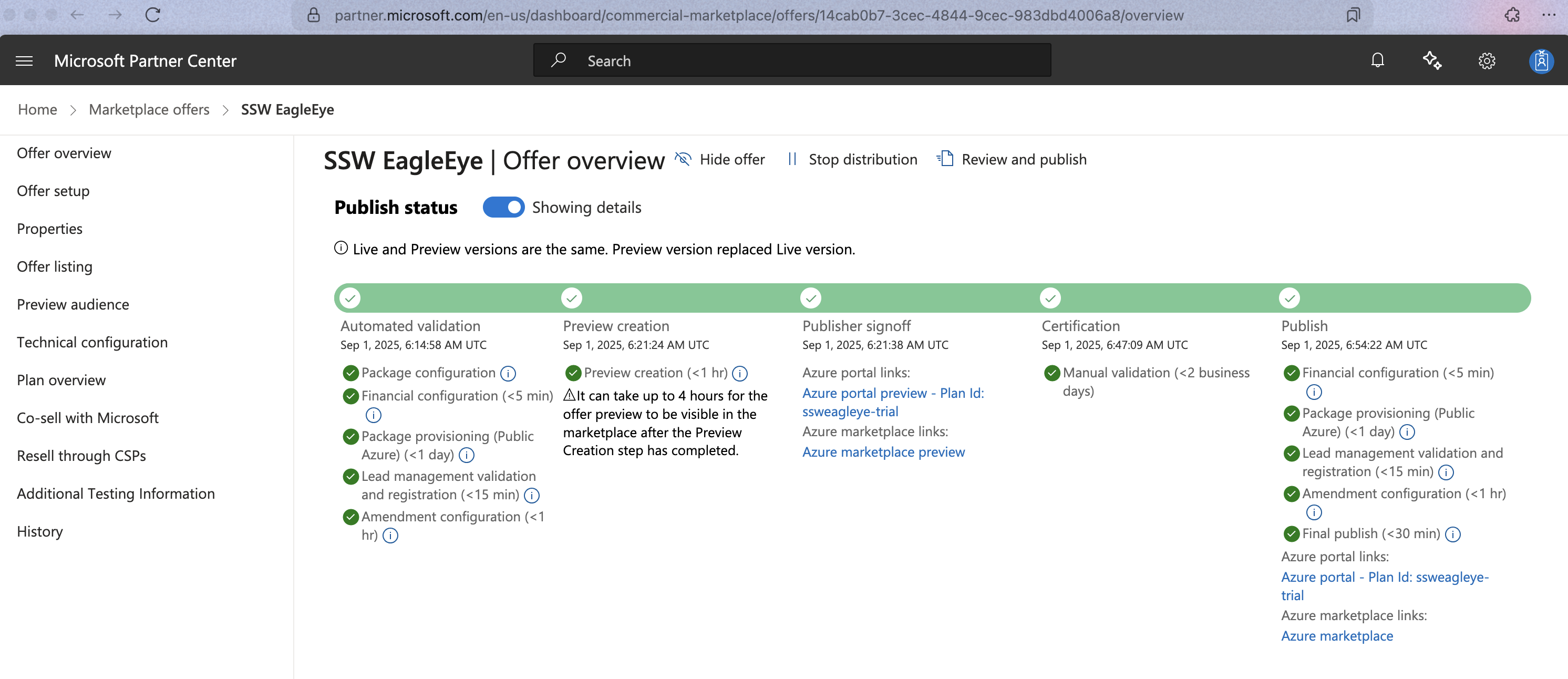
✅ Figure: Good example - SSW.EagleEye is published to Azure Marketplace