Do you know the desired features of structuring large Builds in VS.NET?
Loading last updated info...
The desired features of structuring large Builds in VS.NET:
- Scalable - The project should allow continuous additions to the structure
- Developers should be able to keep adding to the structure
- Multiple Versions - The project should support multiple product releases
- The structure should be able to allow developers to work on the next release while there is still work in progress for a previous release of another section of the project
- Developers can work side by side with different versions in parallel (i.e. at the same time)
- Efficient - The build should be as quick as possible
- Reliability - Builds should be reproducible on any machine and reliable
- Switchable - The project should be able to switch between debug release and other versions
- The project should be able to activate without debug
- A config should be made for a demo build
- It should support a full release
Method 1 - Using Project Reference Assemblies within VS.NET
The first attempt was the following method of adding project references to a large solution.
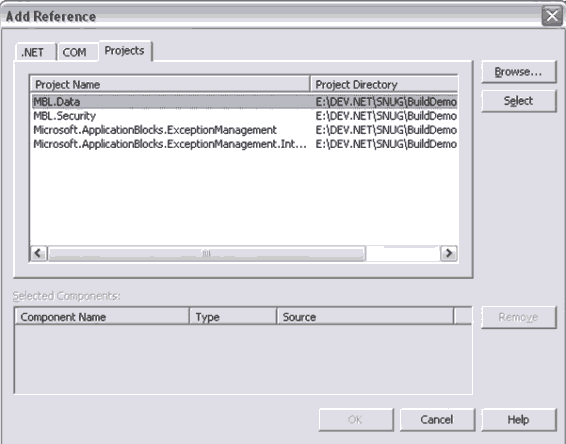
Figure: Adding a project reference
Each project within a solution references other product's assemblies by the project's GUID.
✅ Advantages
The advantages of adding the project to the solution is that you can easily switch between debug and release versions, and the build time is quicker.
❌ Disadvantages
The main disadvantage is that the project can only reference other projects within the same solution.
Method 2 - Using File Reference Assemblies within VS.NET
The following method of adding file references to a large solution was also attempted.
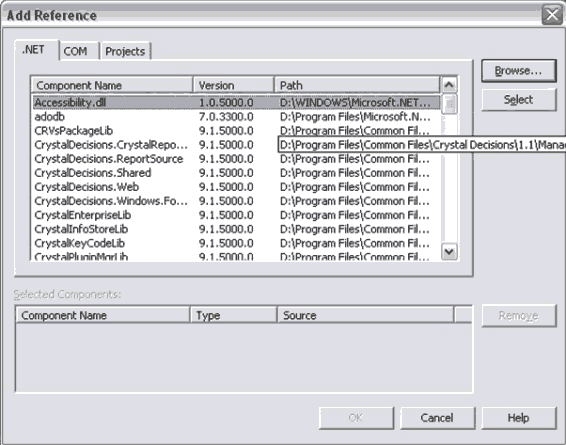
Figure: Adding a file reference
This method involves projects referencing assemblies by looking into their reference path.
✅ Advantages
The main advantage of referencing .dll's is that it is more flexible. Projects can reference assemblies from other solutions outside the current solution.
- The solution's environment is "cleaner", allowing projects to be more expansive
- All you need to do is change the assembly to "shared"
❌ Disadvantages
There are, however, many disadvantages including the fact that only one version of the proj file can be added to the solution.
- The .csproj file cannot be used
- You cannot reference or one set of assemblies for debug and another for release. Only point to one
- VS.NET only use the paths specified in the .proj file as a hint. VS.NET records the location of the assemblies as options for the project for each user
- You cannot switch between versions
- You also cannot use this method if there are 200 projects in one solution