Do you have a cookie consent banner?
Loading last updated info...
Sites can grow to get a lot of traffic from across the globe, it's important that your site complies with any local regulations. The General Data Protection Regulation (GDPR) for Europe, has been tightening cookie usage laws since 2018. The GDPR mandates that websites obtain explicit consent from users before storing or retrieving any non-essential information on their devices, such as cookies used for tracking and personalization. This regulation aims to protect users' privacy and give them greater control over their personal data.
By implementing a cookie consent banner, we ensure transparency and adhere to legal requirements, thereby fostering trust and safeguarding our users' rights.
Creating a cookie consent banner doesn't have to be tricky, it can be done in 3 steps:
- Cookie banner UI
- Creating and sending cookies
- Setting up GTM consent mode as per user preferences
Cookie banner UI
This section is very much customizable and will be different from site to site. Essentially you should create a pop-up, banner, or modal that will be prompted to users when visiting your site. Tina.io uses a banner along the bottom of the page.
The 3 button options should be:
- "Accept All" – Users accepts all types of cookies
- "Reject All" – Users reject all cookies
- "Customize" – According to GDRP we must allow users to manage their cookie preferences at any time. When users go to customize, all options must not be ticked
The Tina.io website let users customize their preferences with a modal.

Figure: 🍪 Cookie Banner on Tina.io
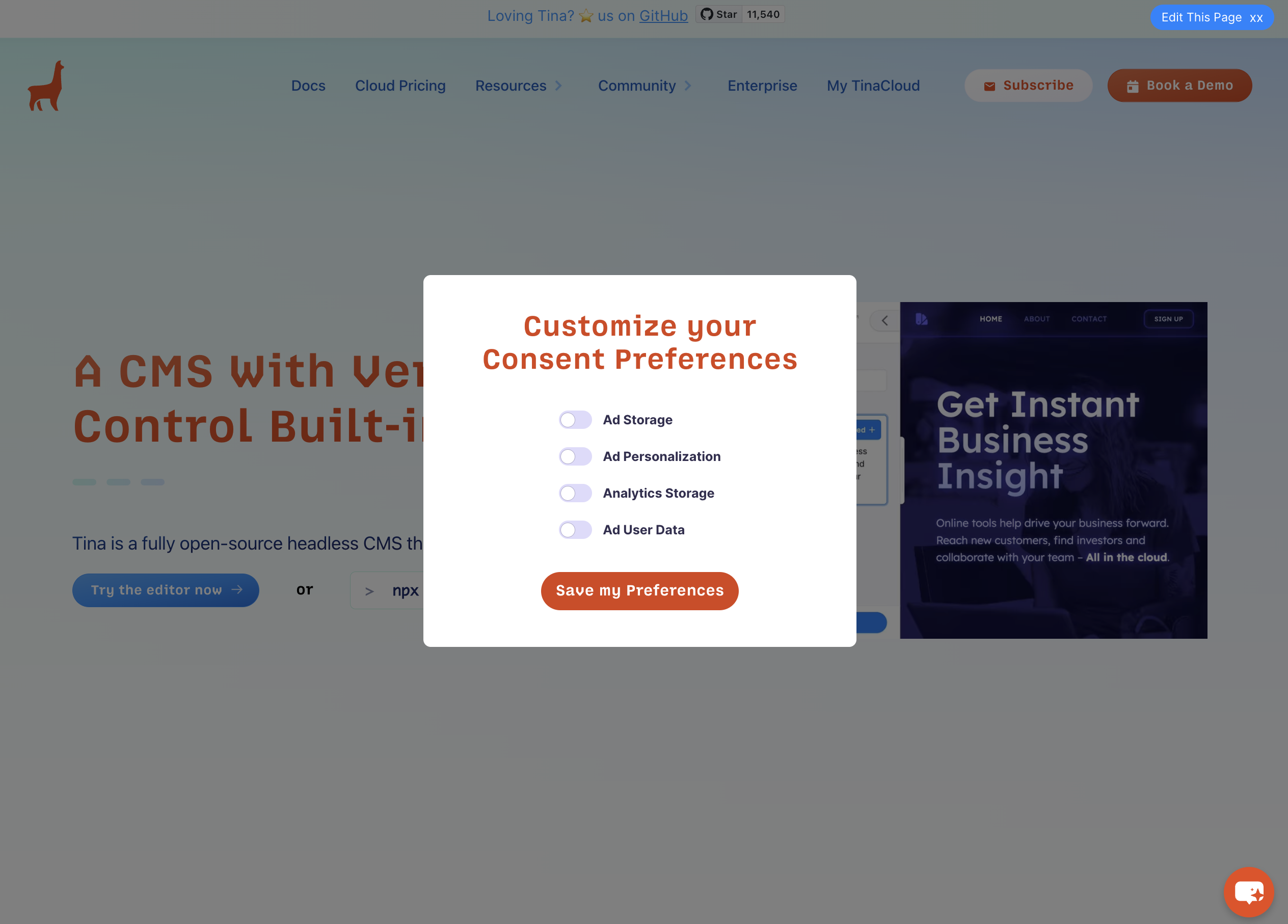
Figure: 🍪 Cookie Preference Modal on Tina.io
Creating and sending cookies
This section will actually send your cookie based on how users have interacted with your UI. You can use a nifty library called ‘js-cookie’ which provides a super easy way to transmit a cookie.
- Install package and use on your component
npm install js-cookie
import Cookies from 'js-cookie';
- Create Cookie Variable and Set Example with a cookie that has all fields accepted, named 'consentGiven'
const acceptedConsent = {ad_storage: true,ad_personalization: true,analytics_storage: true,ad_user_data: true,};Cookies.set('consentGiven', JSON.stringify(acceptedConsent), {expires: 365,});
- Confirm your cookie is being sent correctly
After interacting with the cookie banner, head to Developer Tools (F12) | Application | Cookies | {{ YOUR SITE }}
For example, the Tina.io cookie:
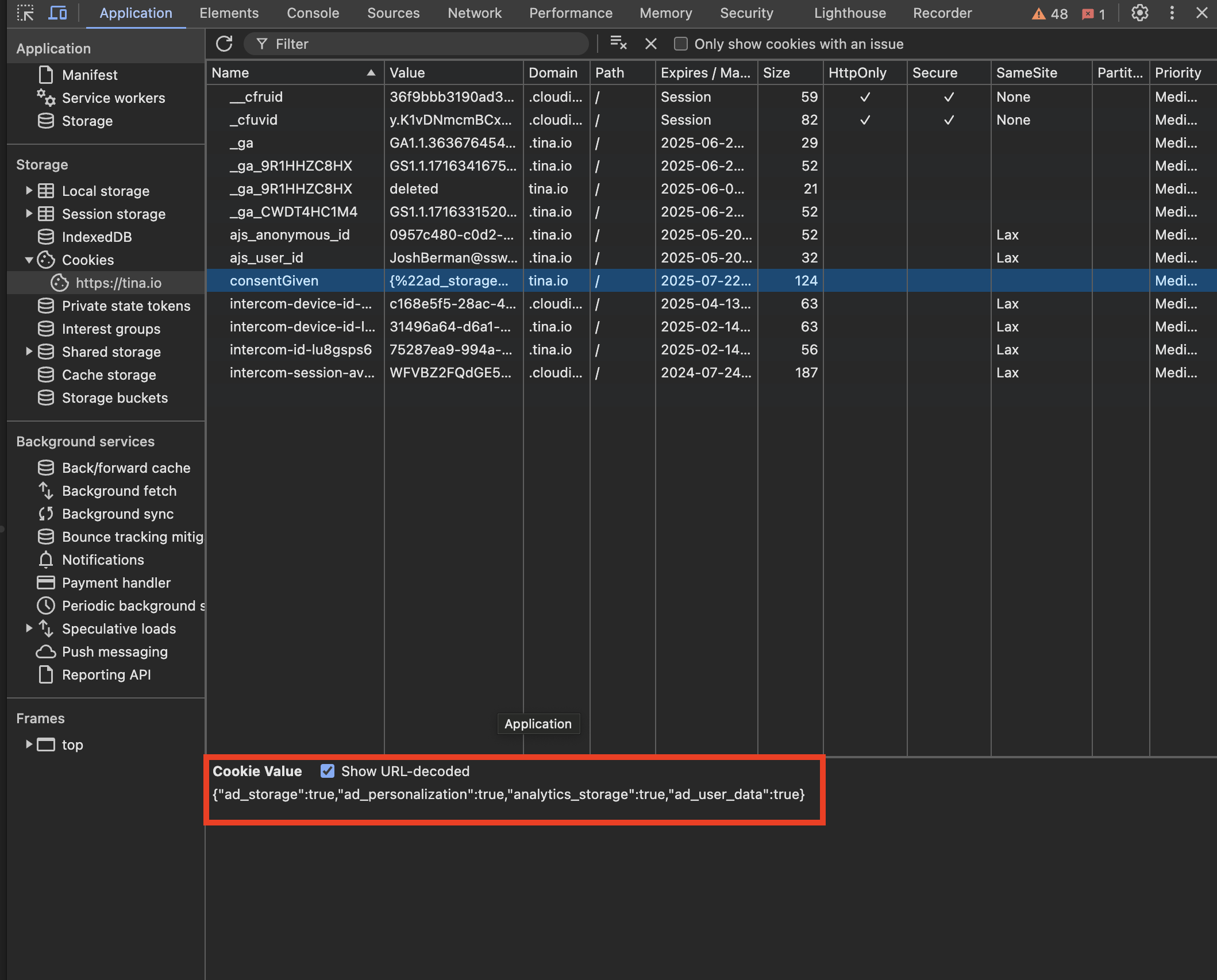
Figure: 🍪 Tina.io Cookie
Configuring Google Tag Manager
Now that you have successfully created, customized and transmitted user cookies. Follow the following YouTube video to configure your Google Tag Manager.
youtube: yZjGzfWDc0Y
Video: Guide to configuring consent code in Google Tag Manager (23 min)