Do you know how to remove old Boot to VHD entries?
Loading last updated info...
When you have finished with the VHD for the presentation you will want to remove the boot entries that were created for the VHD.
- Open an administrative command prompt
- View all the boot entries by typing:
bcdedit
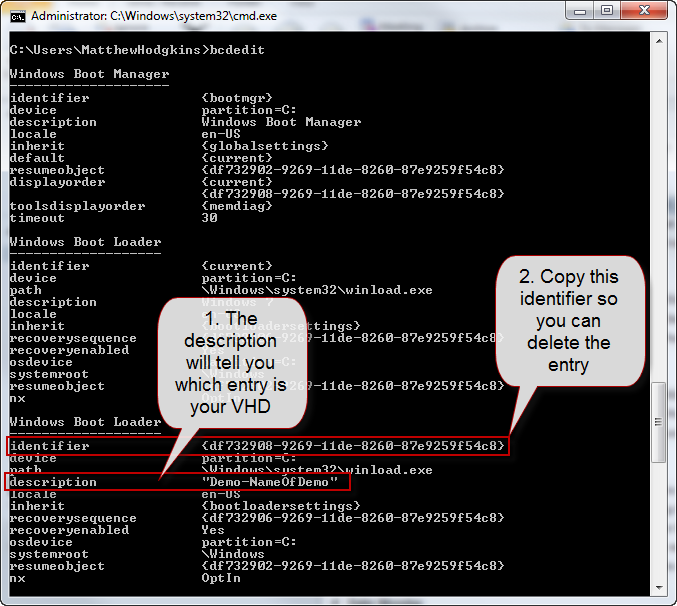 **Figure - The list Boot entries after running bcdedit
** 3. Using the identifier from the previous step you can now run the following command to delete the entry:
**Figure - The list Boot entries after running bcdedit
** 3. Using the identifier from the previous step you can now run the following command to delete the entry:
bcdedit /delete {identifier}
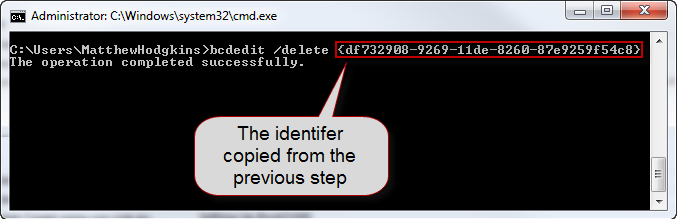 Figure - The boot entry has now been deleted
You can now delete or move your VHD file and you will not get any errors when booting your laptop.