Do you know how to subscribe a report?
Loading last updated info...
Here are the steps to subscribe a report:
- Open IE, go to the folder view which contains the report you're going to subscribe.
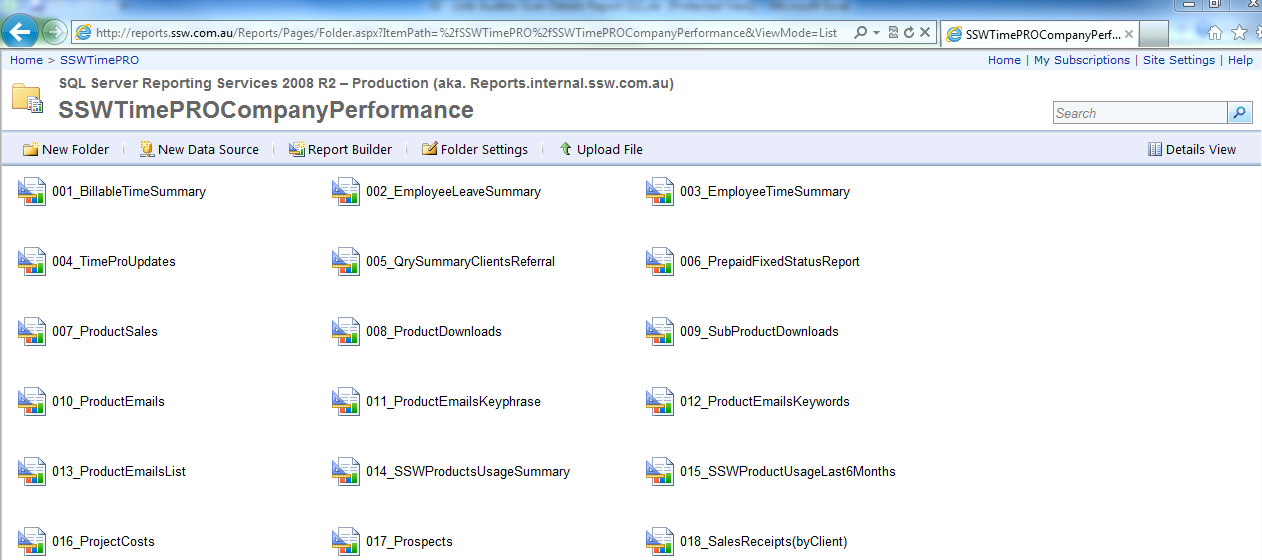
Figure: Reports folder view
- Click the report you're going to subscribe and select "Subscribe...".
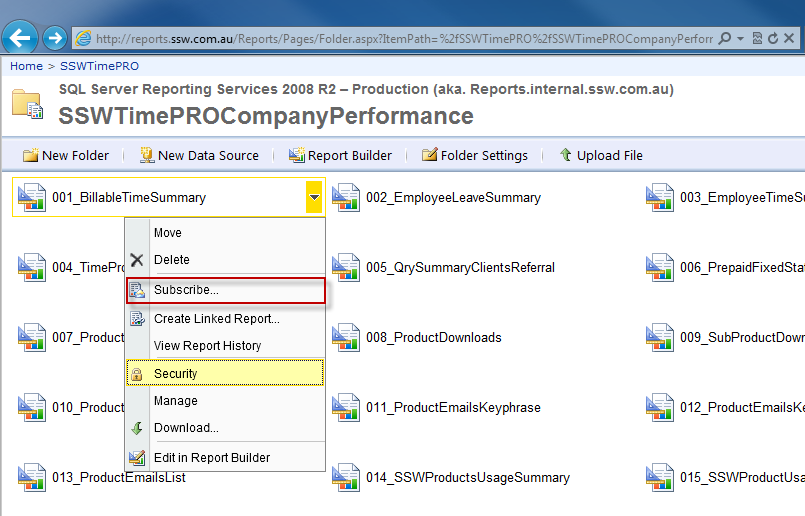
Figure: Subscribe report
- Configuring the subscriber's email address, report render type and schedule.
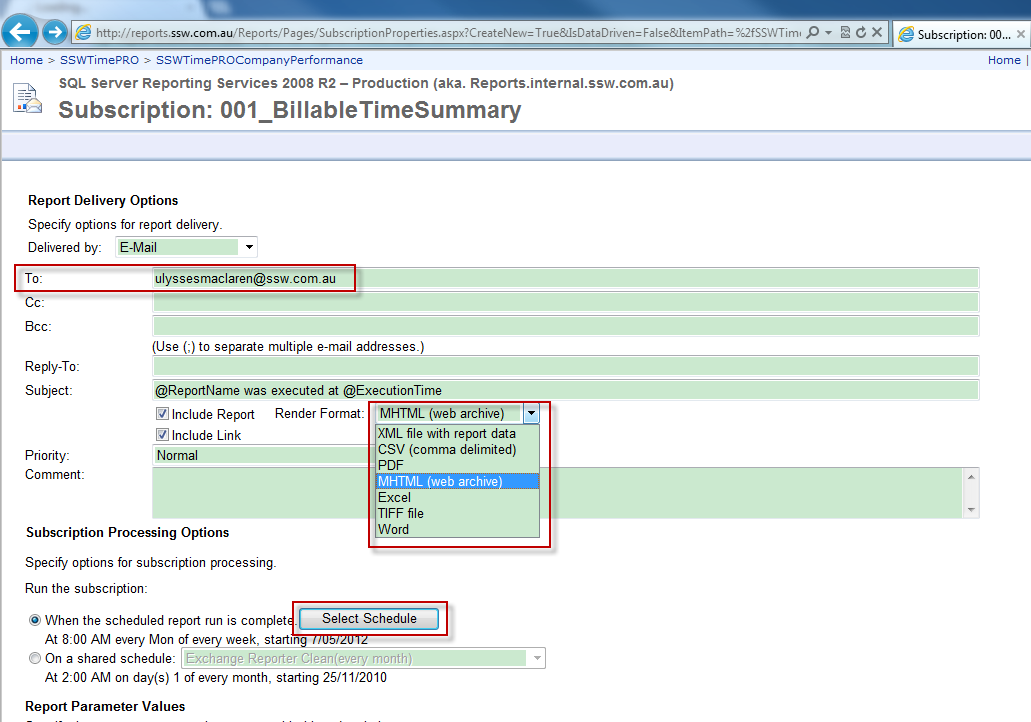
Figure: Configuring subscribe settings