Do you know which check-in policies to enable?
Loading last updated info...
Check-in policies are a great way to enforce code quality before it hits your source control repository. SSW recommends that the following check-in policies be enabled by default on your project:
- Changeset Comments Policy - To enforce that all check-in contain comments
- SSW Code Auditor - To enforce coding standards and best practices before check-in
- Work Items – To ensure check-ins are linked to a Work Item in TFS
To enable these policies:
- Click Settings in the Team Explorer Home hub
- Click Source Control in the Team Project section (not Team Project Collection)
- Open the Check-in Policy tab
- Click Add... and select the check-in policies above. If you don’t have SSW Code Auditor installed, download it here.add
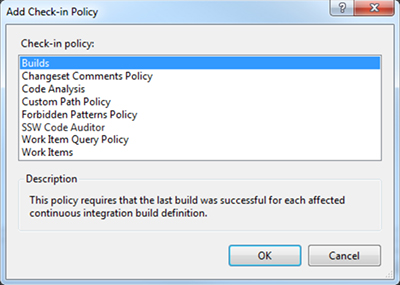
Figure: Choose check-in policies in TFS