Do you send Control4 notifications to a Slack channel?
Loading last updated info...
Are you tired of missing important Control4 notifications? Fear not! We have a solution for you. By using the "Incoming Webhook" integration in Slack, you can receive Control4 notifications directly in Slack. 📣💬
To set up Control4 notifications in Slack, follow these steps:
- Open Slack and go to your desired channel or create a new one dedicated to Control4 notifications 📢
- Click on the channel name and select "Add apps" from the dropdown menu 🔌
- Search for "Incoming Webhooks" and click on the app to install it
- Configure the webhook by providing a name for it and selecting the channel where you want the notifications to appear 📝
- Copy the generated webhook URL. This will be used to send Control4 notifications to Slack
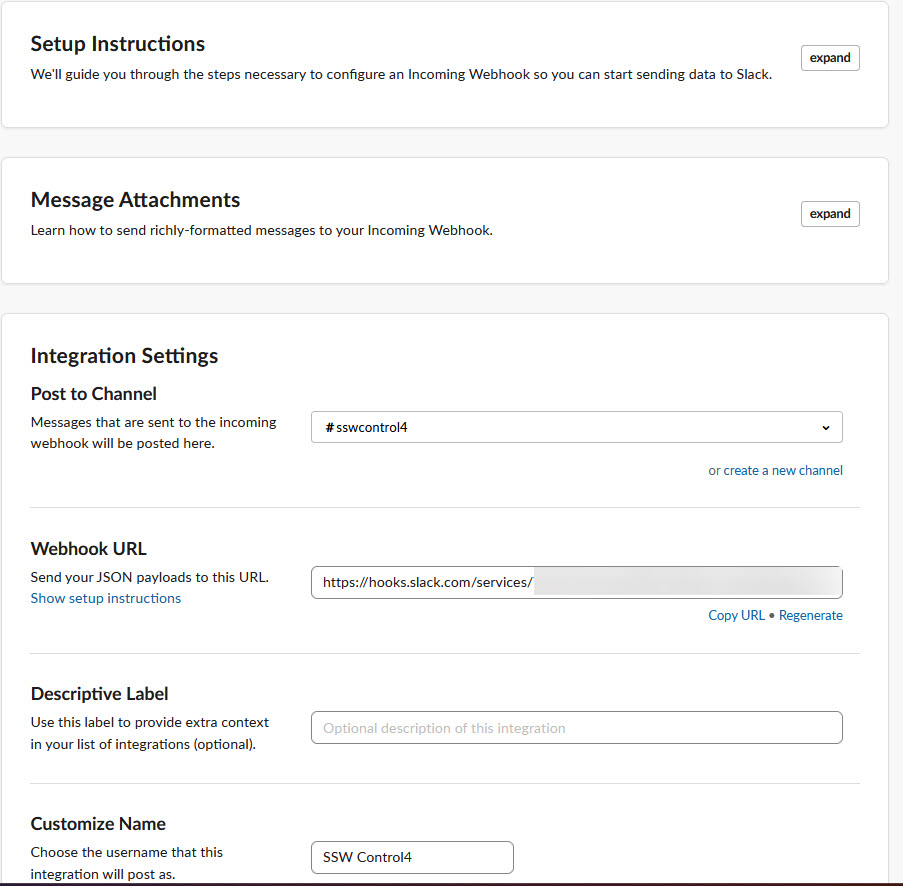
✅ Figure: Good example - Slack Integration window
- In your Control4 system, navigate to the Composer software and open your project
- Configure the "Generic TCP command" by providing the necessary details, such as the Web address and Post Data
- Web Address: Your Slack Webhook URL e.g.
https://hooks.slack.com/services/Taaqw3H6/B7RMC66yBV/GvA3IEIrpZgy4nqssddsaa - Post Data: The message contents (payload) to be delivered to Slack e.g.
{"text":":key:Reception Door Success"}
- Save the TCP command settings and test it out by triggering a Control4 event that will execute the TCP command 🚨
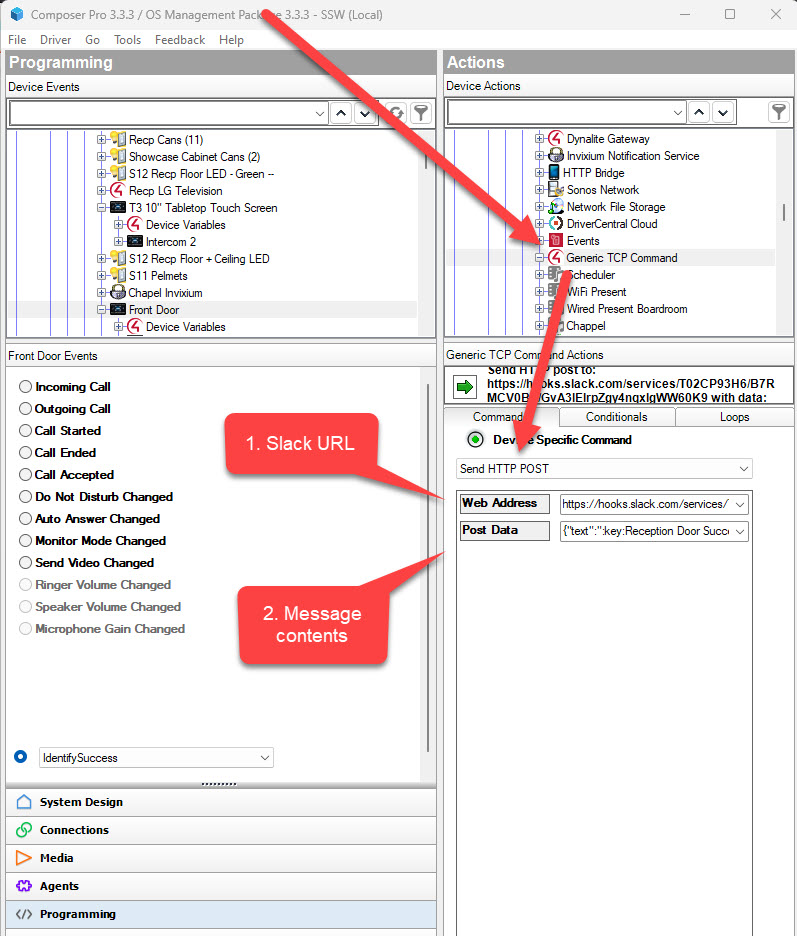
✅ Figure: Good example - Setting up a Generic TCP Command in Composer
That's it! Now you'll be able to send Control4 notifications to Slack using the generic TCP command in Control4 Composer. 🙌
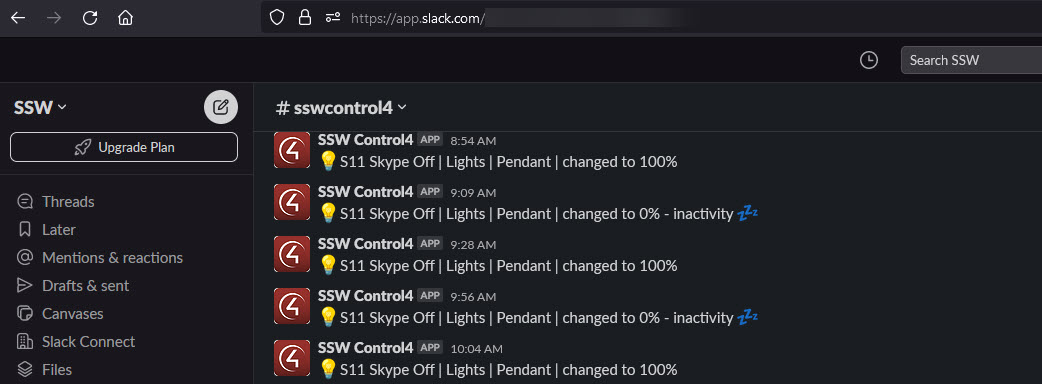
✅ Figure: Good example - You can send any kinds of notifications to Slack
Remember, using the "Incoming Webhook" integration in Slack and the generic TCP command in Control4 Composer is a powerful combination for seamless notification integration. It keeps everyone in the loop and makes collaboration a breeze! 🤝