Do you use LUIS?
Loading last updated info...
When building a chat bot, it needs some way to understand natural language text to simulate a person and provide a conversational experience for users. If you are using Microsoft Bot Framework, you can use LUIS. LUIS is a natural language processing service and it provides some awesome benefits...
- Built-in support from Microsoft Bot Framework
- Well-trained prebuilt entities (e.g. Person names, date and time, geographic locations)
- A user friendly GUI portal where you can create, test and publish LUIS apps with just a couple of clicks
Video: Introduction to LUIS natural language understanding for bots (using SSW SophieBot) (7 min)
Intents and User Utterances
To build a LUIS application, you need to classify different utterances that a user might ask into specific "intents". For example, a user might want to ask "Who is working on SophieBot" in many different ways (e.g. "Show me people working on SophieBot"), so you should make this an intent so that the different ways of wording it are treated the same way.
Entities
Sometimes you may need to get different parts of an intent, so that you can retrieve extra data from an API endpoint or perform some other kind of custom logic. In that case, LUIS needs some way to figure out what the different subjects are in an intent, entities enable you to do this. For example, if the user asks "Who is working on SophieBot", you will need to call an API to get people working on "SophieBot" project, so you need to mark "SophieBot" as an entity.
Features
As your LUIS model grows, it's possible that certain intents have similar user utterances. For example, "What's Adam's skills" has a very similar format to "What's Adam's mobile", so LUIS might think "What's Adam's mobile" is a "What's Adam's skills" intent.
So you need a way to define what phrases have the same meaning as "mobile" and what phrases have the same meaning as "skills". Phrase list features let you do this. For example, "mobile" may have a phrase list feature containing "mobile", "phone number", "telephone number" etc.
Best practices
In order to make LUIS' recognition more precise, some of the best practises are:
- Do define distinct intents
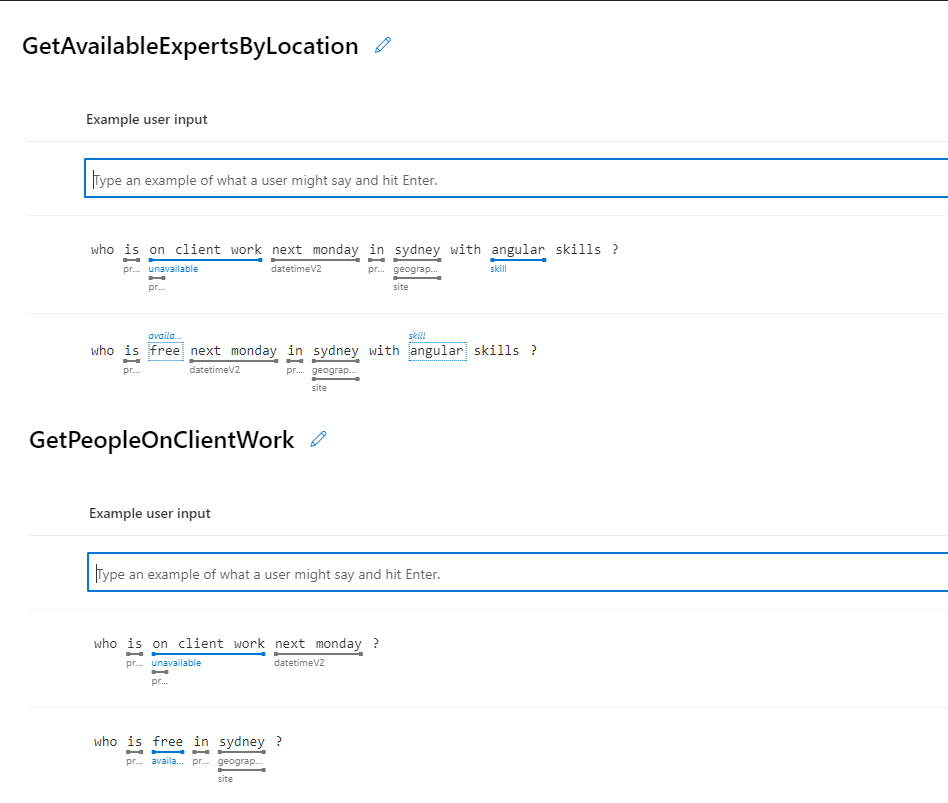
❌ Figure: Bad example - Separated intents with overlapping vocabulary
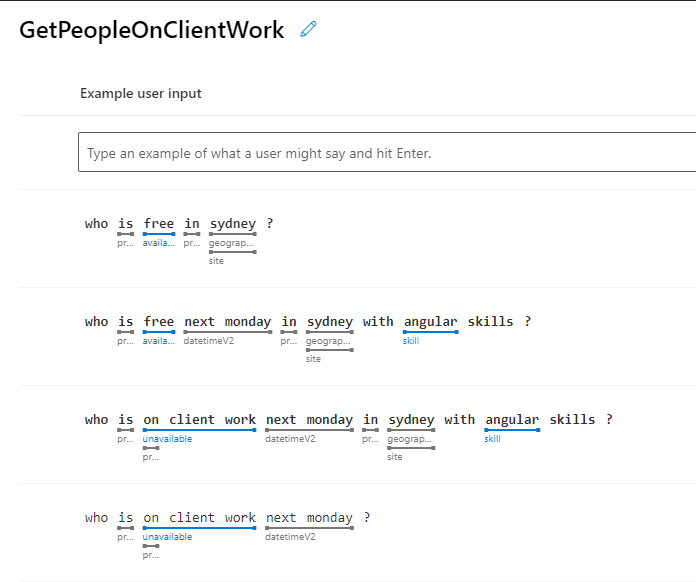
✅ Figure: Good example - Combine intents that have same vocabulary and use entities
- Do assign features for intents
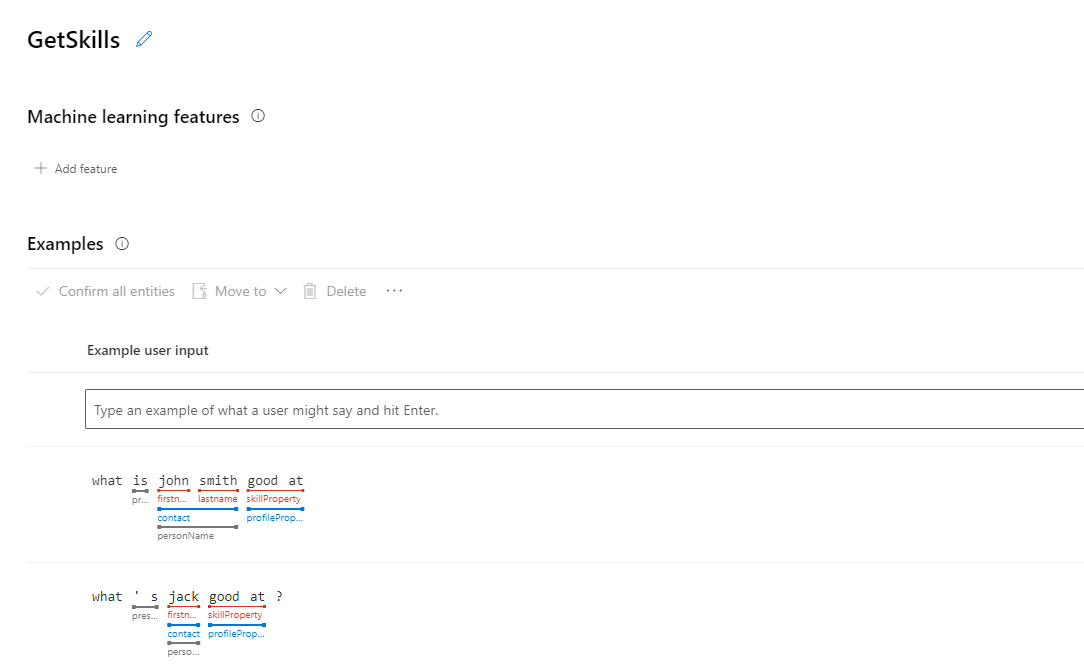
❌ Figure: Bad example - An intent with no feature can lead to low accuracy
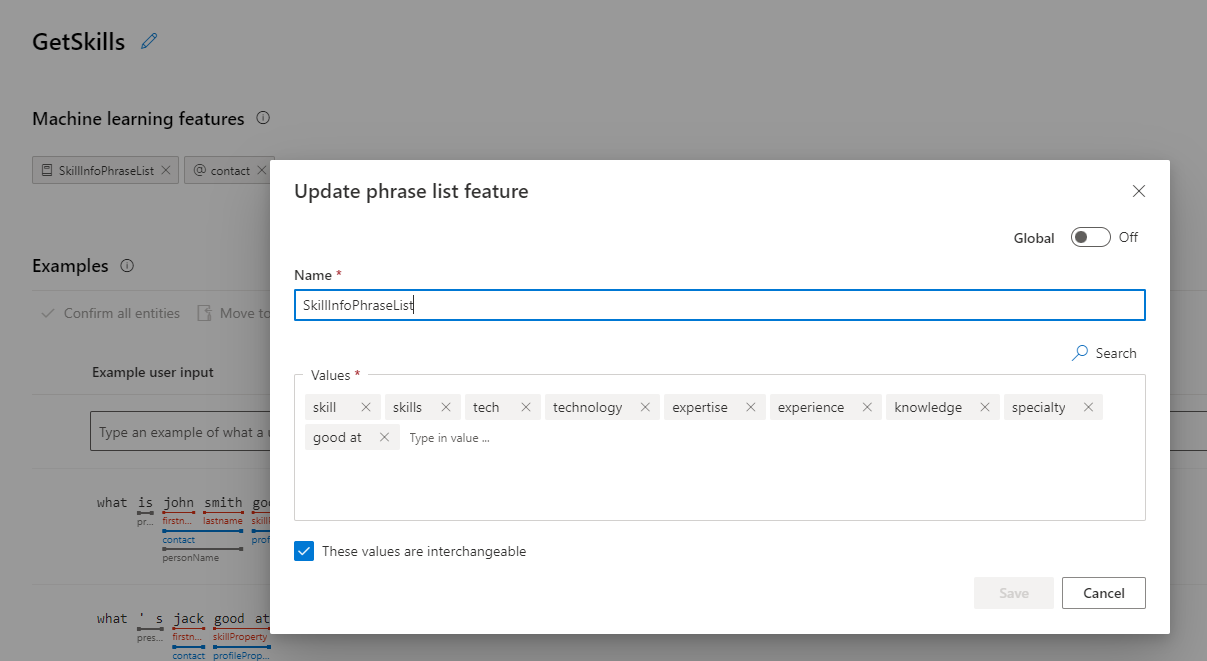
✅ Figure: Good example - An intent with features can help LUIS predict more accurately
- Do add examples to None intent (the fallback intent if LUIS doesn't recognize the user input as any intent)
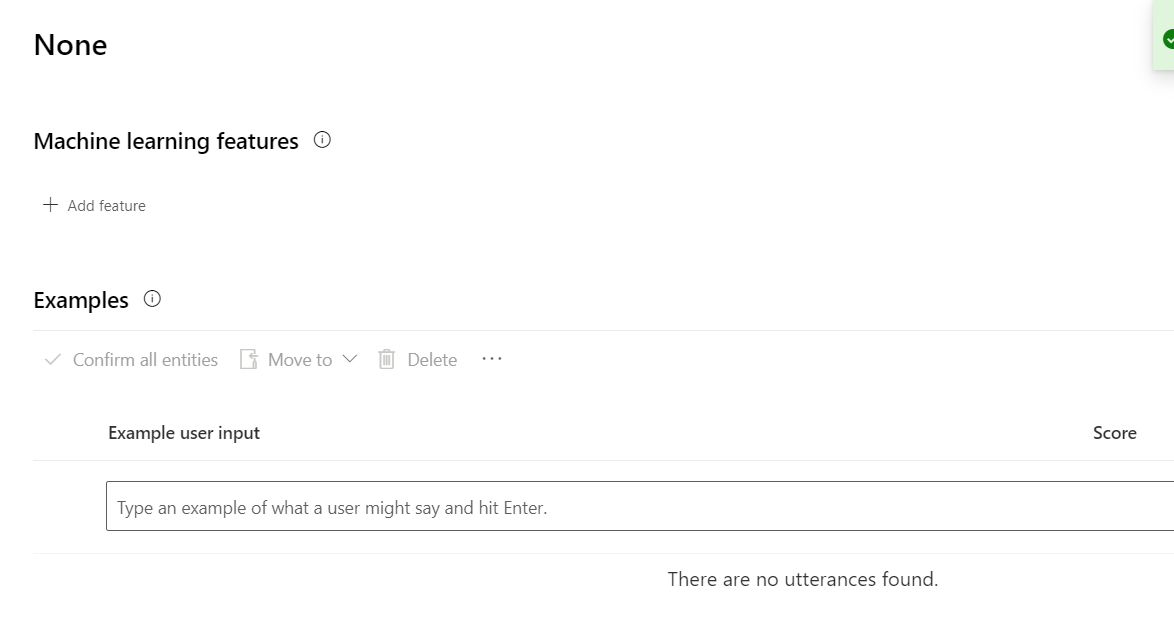
❌ Figure: Bad example - An empty None intent means no "emergency replies" for unrecognized inputs
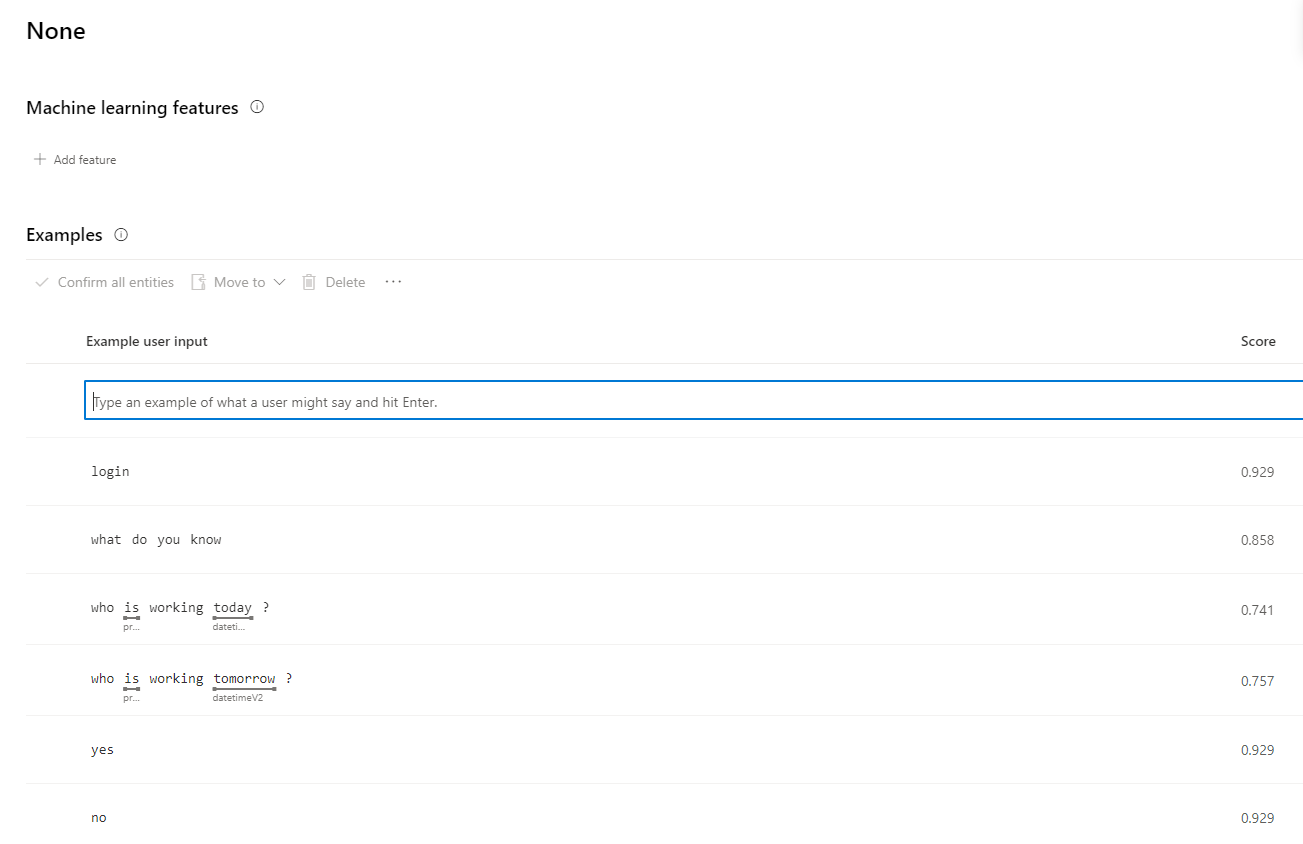
✅ Figure: Good example - Add example utterances to None intent with an approximately 1:10 ratio to the utterances in the rest of your LUIS app