GitHub is a code hosting platform for version control and collaboration. It lets you and others work together on projects from anywhere.
Here is a series of rules on how to get the most out of GitHub.
Learn more about Scrum with GitHub.
Everybody strives to be perfect, but mistakes are normal, and it is easy for a developer to skim over errors when they've read their own code code hundreds of times!
Pull requests are the best way to ensure that two sets of eyes see every change - so the responsibility is never solely on the person writing the code.
Consistent naming is important so that users of your GitHub account can easily find what they are looking for and so that you appear professional.
Adding a description to your repositories is essential, so they do not appear blank in the preview on your GitHub profile.
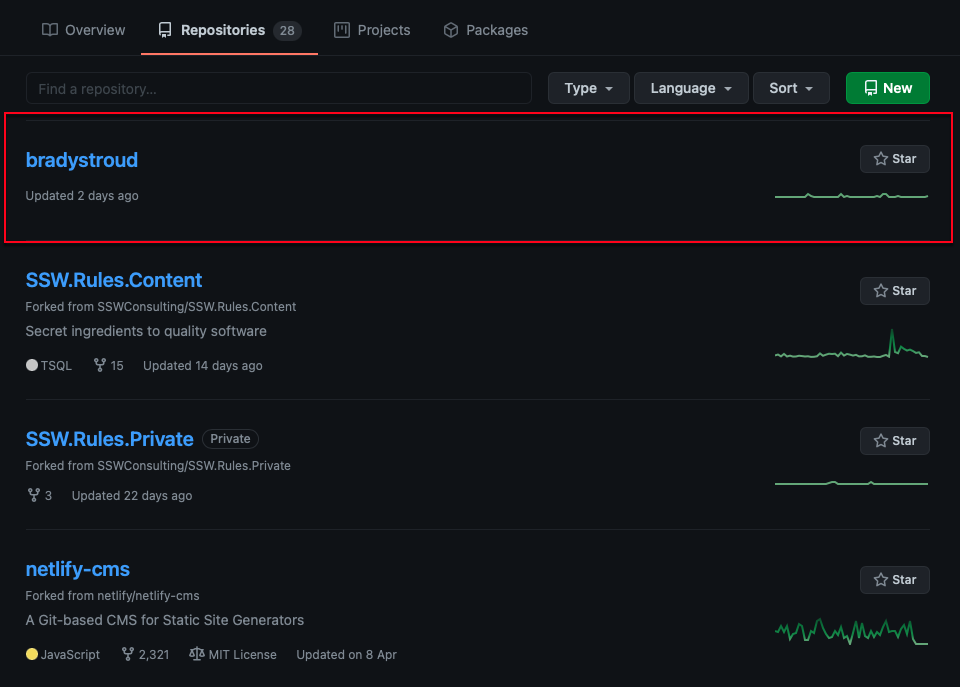
❌ Figure: Repositories with no description look bad
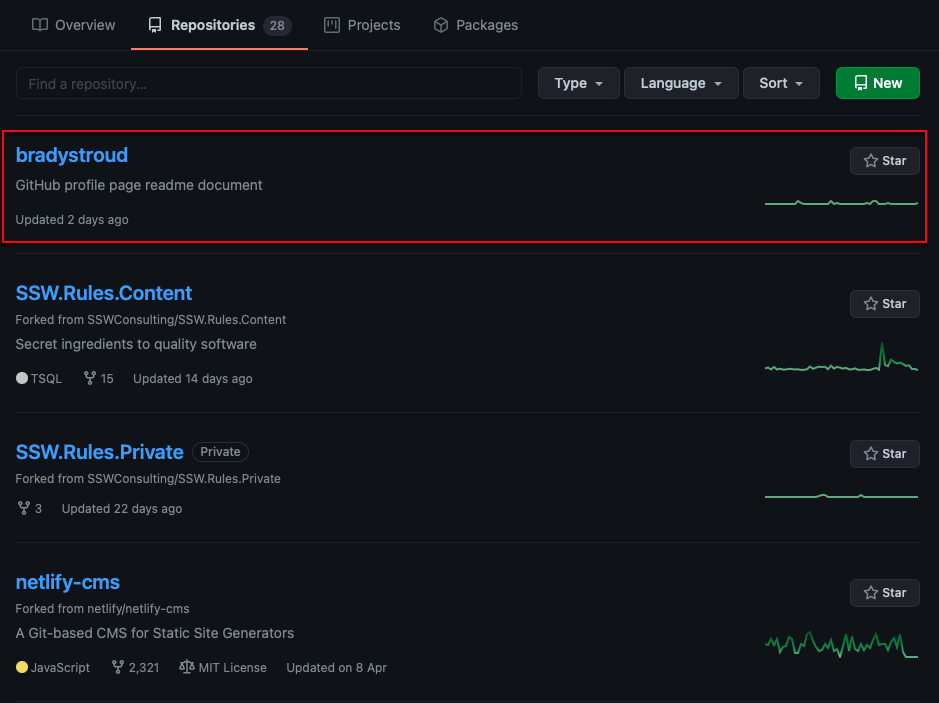
✅ Figure: Repositories with a description look good
It is important when working in multiple projects to ensure consistent practices.
Structuring your repositories consistently makes your project feel professional, and makes it easier to work with as it is predictable.
It is important that you, especially a developer, knows how to use labels for GitHub issues when using an open source project on GitHub, as it would help compact issues and make the issue management workflow more efficient. Essentially, having such a predictable workflow will let the community feel professional.
If you accidentally include confidential information in a GitHub Issue - whether it’s a password, API key, or private business details - the obvious thing to do is edit the issue and delete the sensitive content.
But that’s not enough.
GitHub retains a full revision history for issues and comments. This means others can still view older versions and recover the compromised data.
GitHub Issues offer a great way of raising Issues within projects. However, it can be difficult to distinguish whether the Issue is a bug, feature request or just a question. GitHub Issue Templates should be used to help standardize Issues and ensure they have enough information for a developer to start work.
The templates also make it easy for people to write good quality issues, increasing the chance of getting good feedback and suggestions from users.
Let's take a look at how implementing Issue Templates can improve repository backlogs...
Some websites use GitHub to manage their content (e.g. SSW Rules). GitHub makes reviewing changes easy through "Pull Requests".
A Pull Request is a request to make changes to 1 or more files. GitHub provides out of the box functionality for reviewing changes in a pull request. This process is as follows:
As a software developer, you are going to create Pull Requests (PRs) that you want to be easy for others to review and approve. The quality of a Pull Request can vary - from cryptic to well-written.
Including a little bit of context helps your reviewer understand changes quickly so they can review your PR faster and give better suggestions.
There are 2 essential things you should have when writing a Pull Request:
The use of Draft Pull Requests is a handy practice to indicate work in progress promoting early collaboration and continuous feedback. This approach enhances code quality, reduces duplication, and helps to maintain a transparent and efficient development pipeline. Creating Draft Pull Requests will also trigger GitHub Workflows so developers get early feedback on the quality of their changes.
Draft Pull Requests are less effective if they are not clearly marked as Draft, as is the case on GitHub. To make them clearer, use a naming convention like
🚧 WIP: {{PR Title}}to clearly show that it is a Draft Pull Request.GitHub
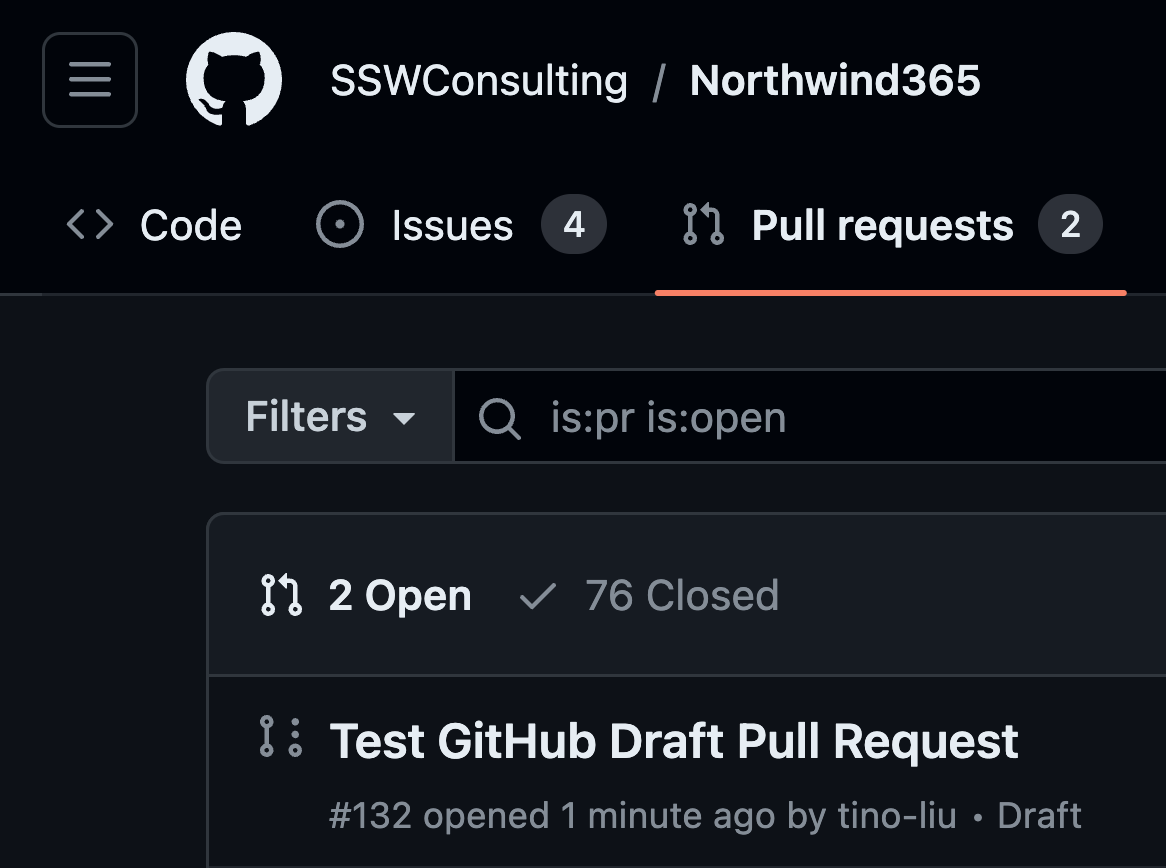
❌ Figure: Bad example - The default experience lacks clear indication that this is Draft Pull Request
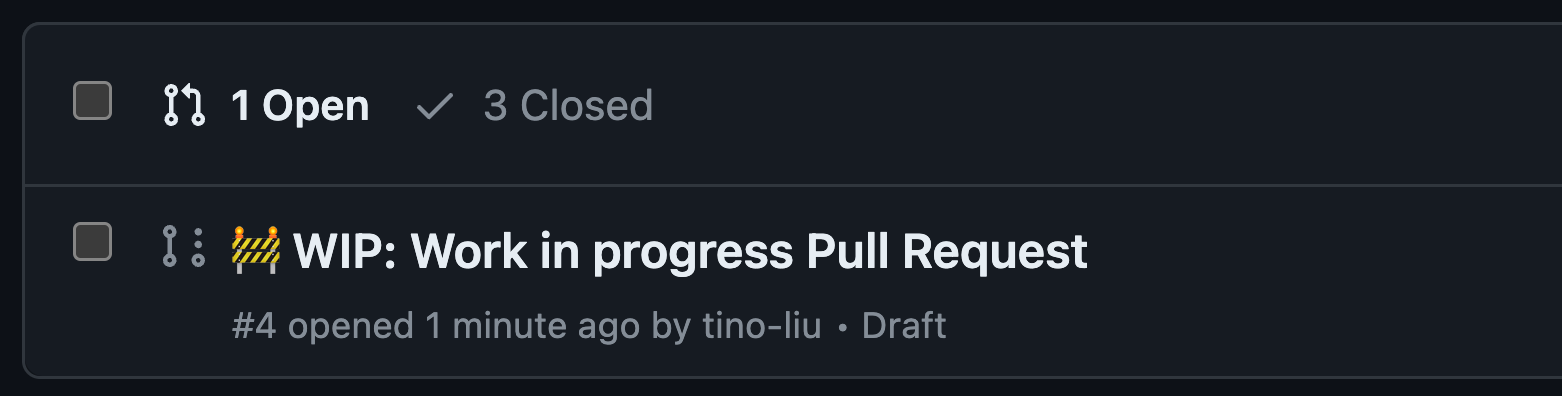
✅ Figure: Good example - Add prefix with 🚧 emoji to clearly indicate it is a Draft Pull Request
If you want to go one step further, you can add the WIP App to your repo. The WIP App prevents the merging of Pull Requests with "WIP" in their title. When you are ready to go, you just remove the WIP prefix.

✅ Figure: Good example - WIP app catching Draft Pull Request
Azure DevOps
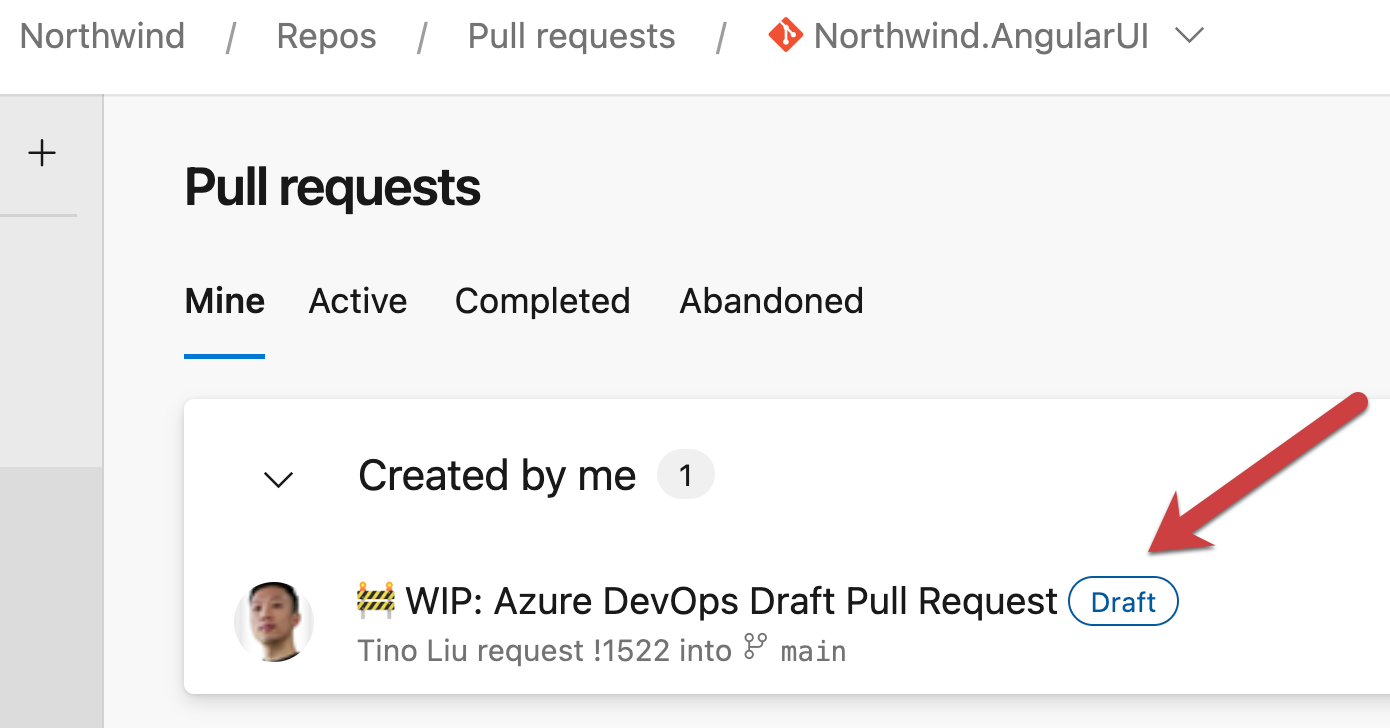
✅ Figure: Good example - Clear naming and indication of a draft pull request
per page
1 - 10 of 52 itemsper page
1 - 10 of 52 items