Do you use Google Tags Manager (GTM) to manage your tags?
Loading last updated info...
Many website integrations will require an HTML tag in added to your website. This can be painful to manage when dealing with the code. To add those tags, we recommend using Google Tag Manager.
Google Tag Manager is a tag management system (TMS) that allows you to quickly and easily update measurement codes and related code fragments collectively known as tags on your website or mobile app.
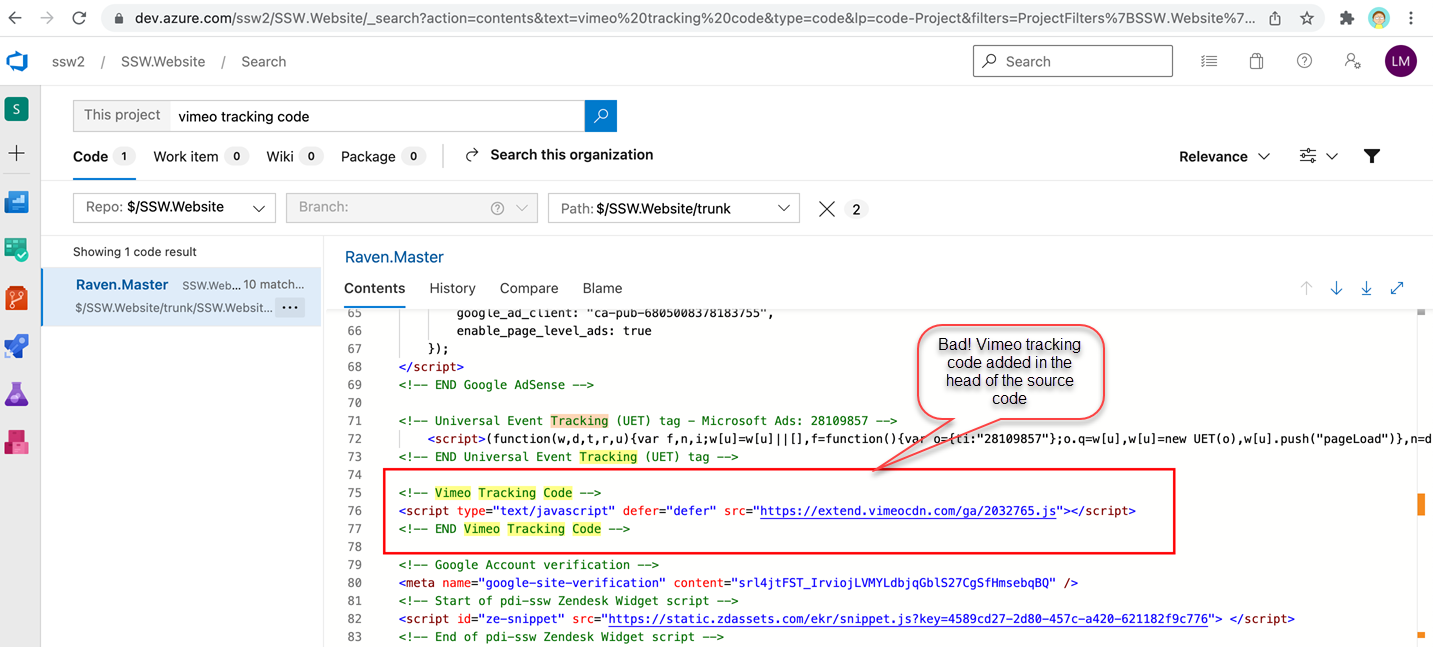
❌ Figure: Bad example – Vimeo tracking code added in the head of the source code
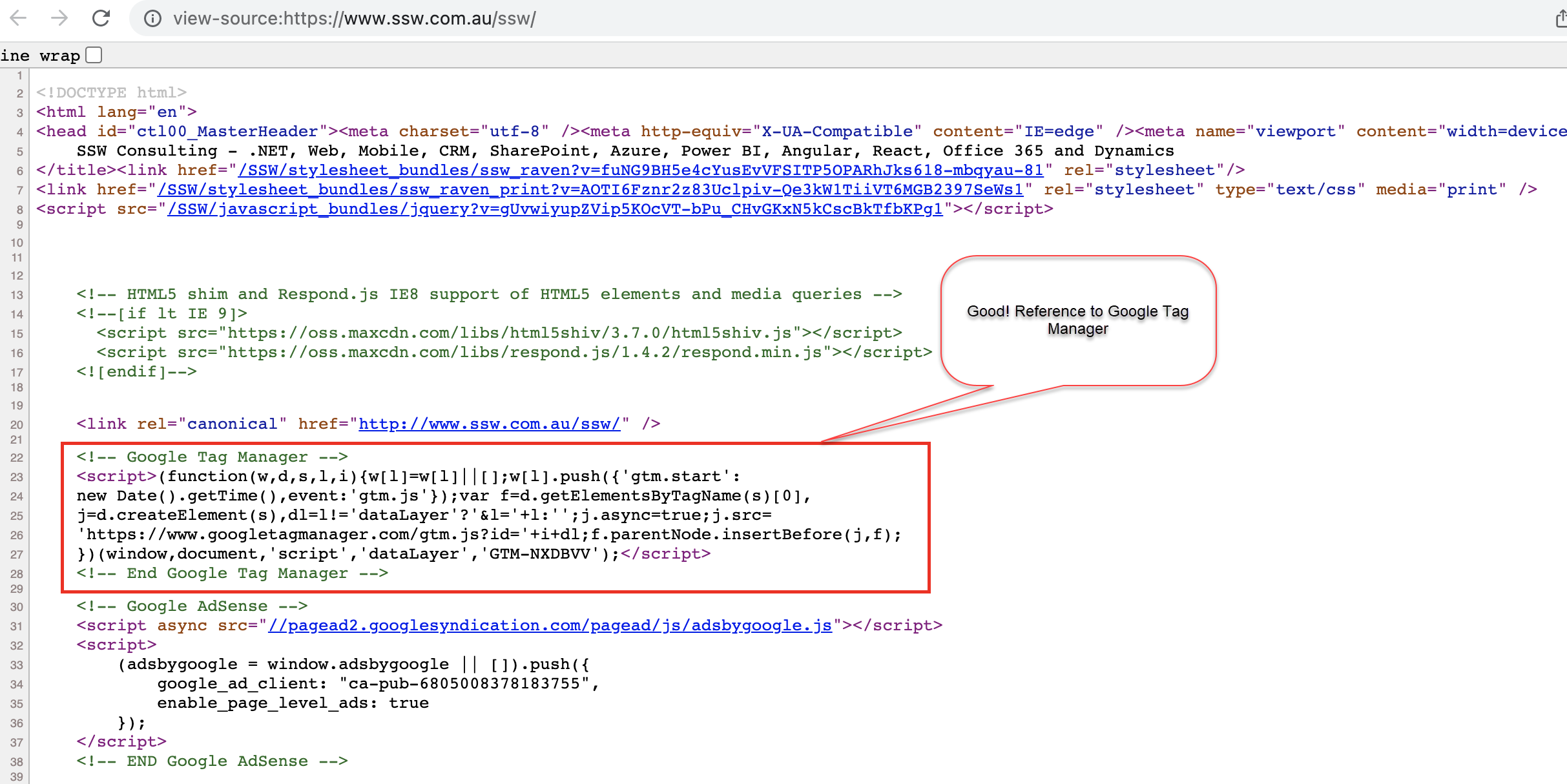
✅ Figure: Good example – Reference to the Google Tag Manager
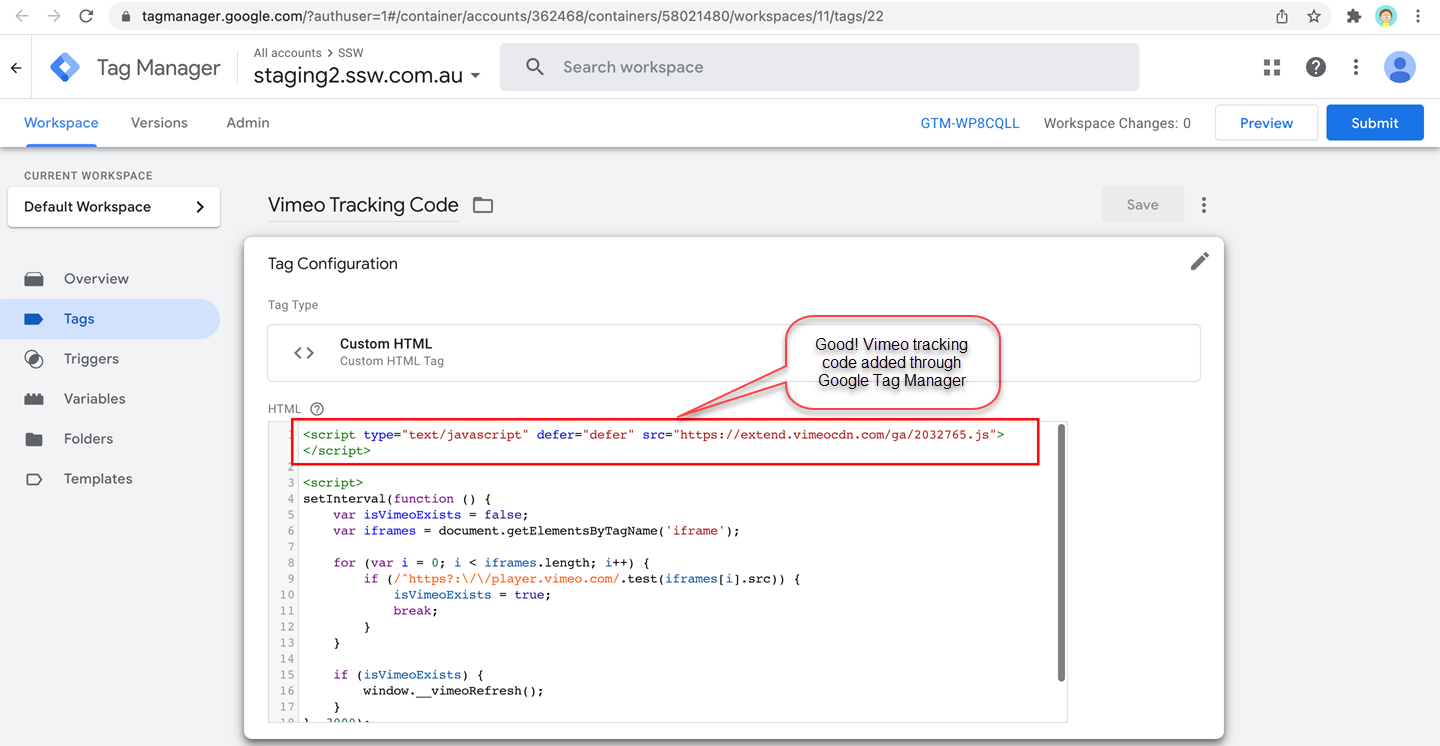
✅ Figure: Good example – Vimeo tracking code added through Google Tag Manager
Multiple marketing tools can be added in a website using Google Tag manager.
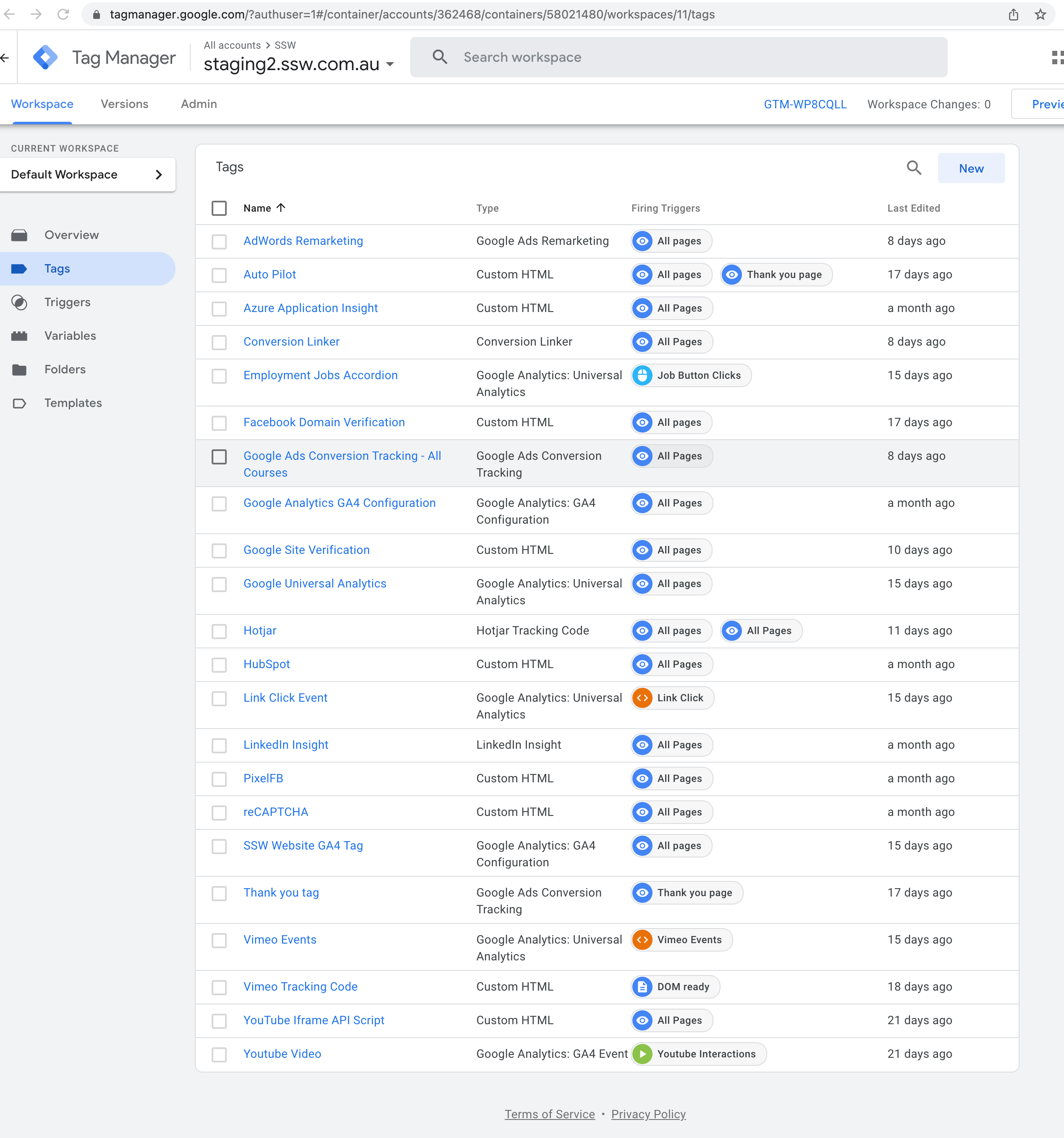
Figure: All tags are added in new SSW.Website using GTM
Data and analytics result has recorded by Google Analytics on new SSW.Website. Universal Analytics and GA4 are configured in Google Tag Manager.
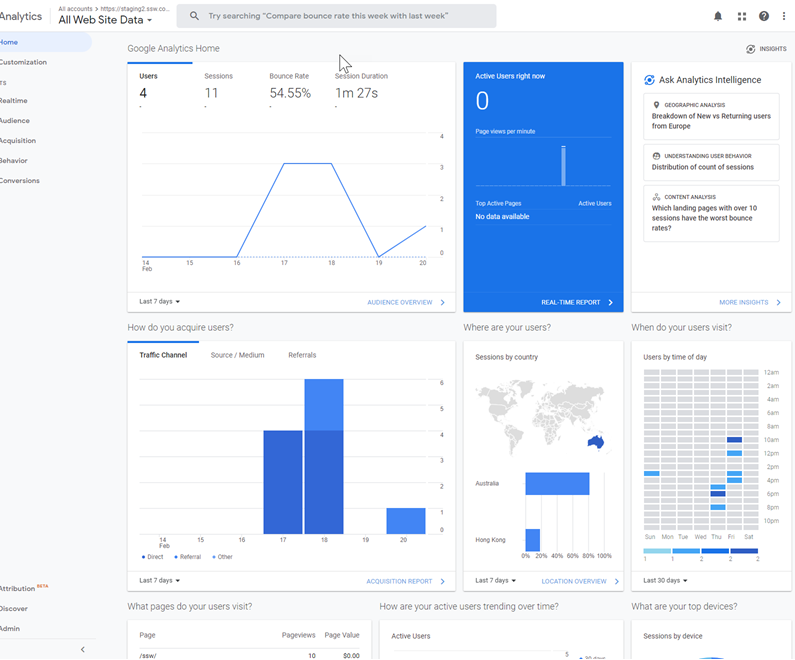
Figure: Universal Analytics is collecting data from the website
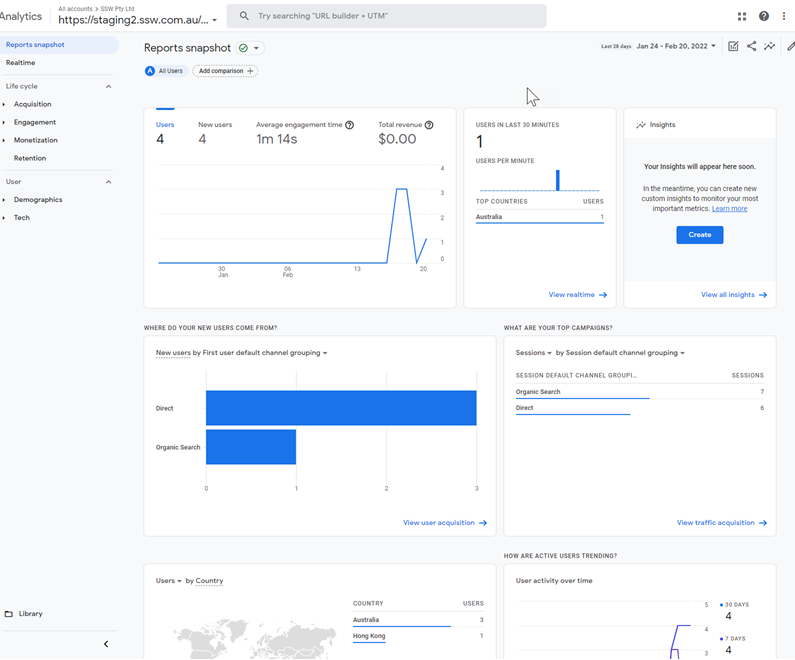
Figure: GA4 is collecting data from the website
Learn more on Google Tag Manager official site.
Drawbacks
While Google Tag Manager is great for non-tech people to easily embed tracking code, you must be careful to not introduce functionality to the website that may interfere with existing systems.
Some things to consider when adding GTM scripts to a container:
- Performance - some scripts may have a large performance impact, and result in the slowing of the site. The more scripts you add, the slower the site becomes.
- Disconnected functionality - some functionality may require developer modifications in the code that are not possible in GTM to ensure that it works correctly. (e.g. Application Insights)