Do you avoid reviewing performance without metrics?
Loading last updated info...
In every successful team or project, it is crucial to track meaningful progress rather than relying solely on gut feelings. Clear metrics transform vague opinions into data-driven insights. This approach leads to better decisions, more objective performance reviews, and continuous improvement over time.
When a client raises concerns about performance, it is important not to immediately dive into the code to make blind fixes. Instead of guessing what might help, we should approach the issue methodically by starting with clear benchmarks, profiling, and data-driven decisions.
For example, if a client says:
"This application is too slow, I don't really want to put up with such poor performance. Please fix."
We don't jump in and look at the code and clean it up and reply with something like:
"I've looked at the code and cleaned it up. Please tell me if you are OK with the performance now."
A better way is:
- Ask the client to tell us how slow it is (in seconds) and how fast they ideally would like it (in seconds)
- Add some code to record the time the function takes to run
- Reproduce the steps and record the time
- Change the code
- Reproduce the steps and record the time again
- Reply with metrics. E.g. "It was 22 seconds, you asked for around 10 seconds. It is now 8 seconds."
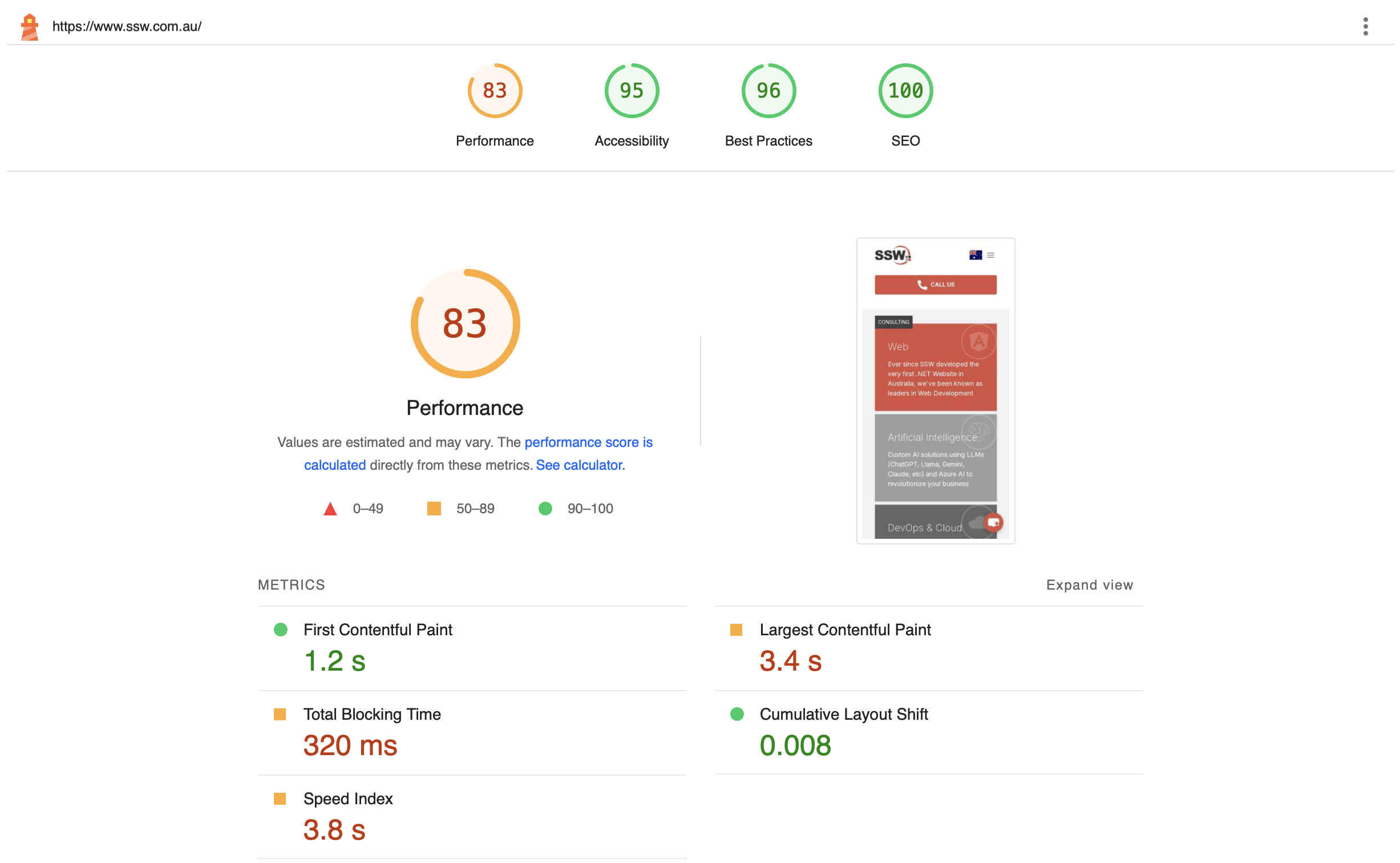
✅ Figure: Good example – Use metrics to check the timing, before fixing any performance issues (An example from SSW CodeAuditor)
Also, never forget to do incremental changes in your tests!
For example, if you are trying to measure the optimal number of processors for a server, do not go from 1 processor to 4 processors at once:
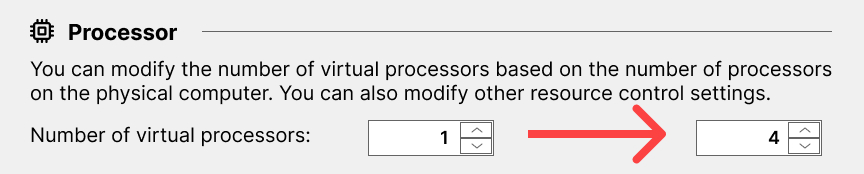
❌ Figure: Bad example - Going from 1 to 4 all at once gives you incomplete measurements and data
Do it incrementally, adding 1 processor each time, measuring the results, and then adding more:
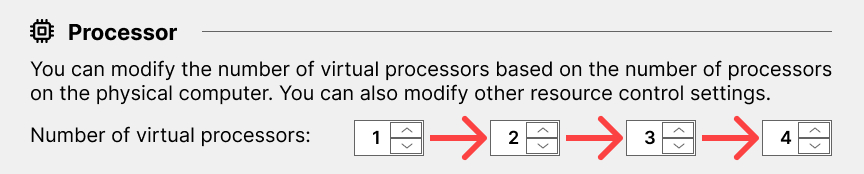
✅ Figure: Good example - Going from 1 to 2, then measuring, then incrementally adding one more, measuring...
This gives you the most complete set of data to work from.
This is because performance is an emotional thing, sometimes it just *feels* slower. Without numbers, a person cannot really know for sure whether something has become quicker. By making the changes incrementally, you can be assured that there aren’t bad changes canceling out the effect of good changes.
Measuring Performance
Depending on your tech stack, there are various tools available to measure performance. For frontends, Google Chrome's DevTools provides a performance measurement tool.
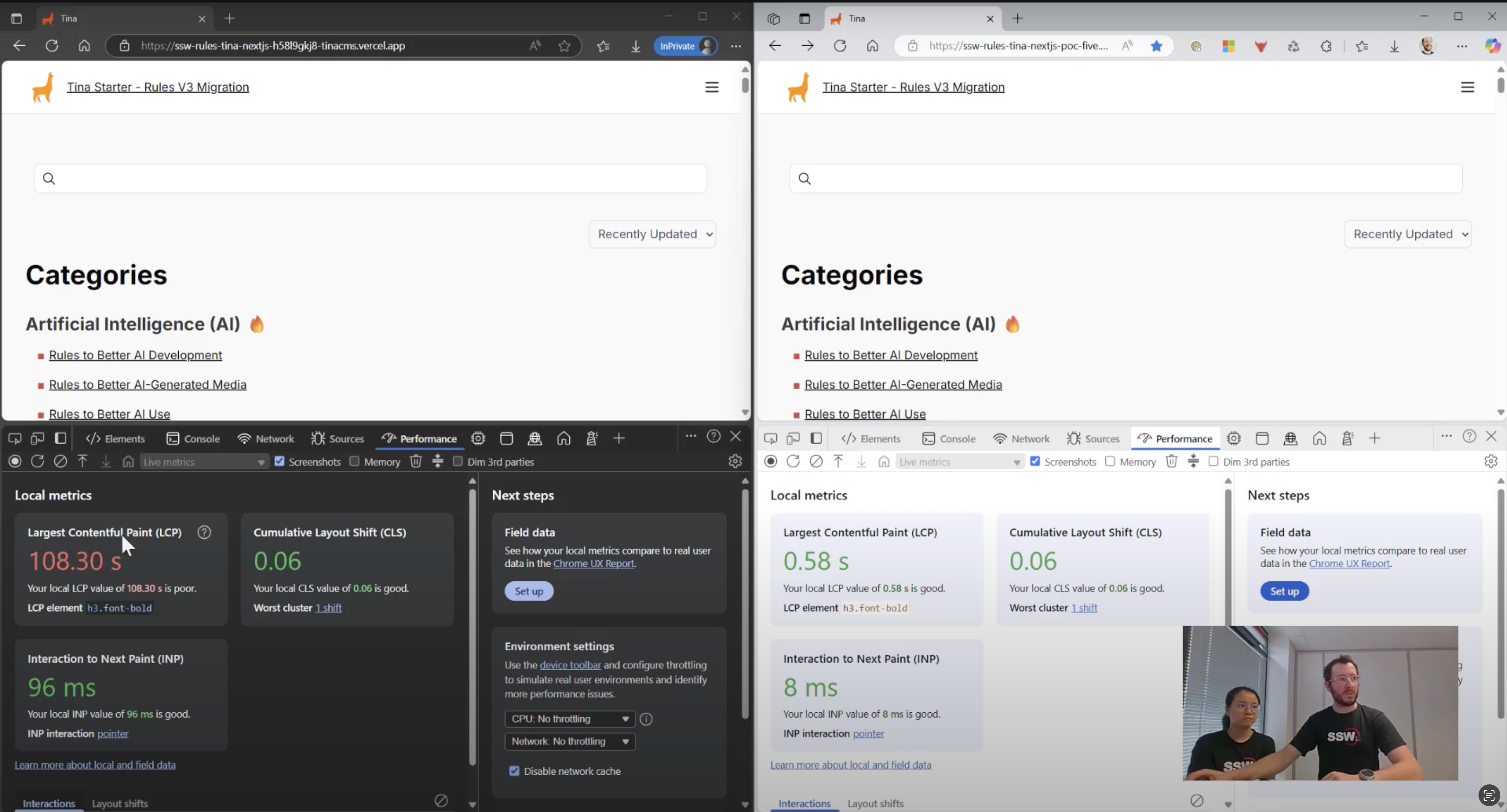
Figure: Google Chrome has a handy Performance tab in the DevTools
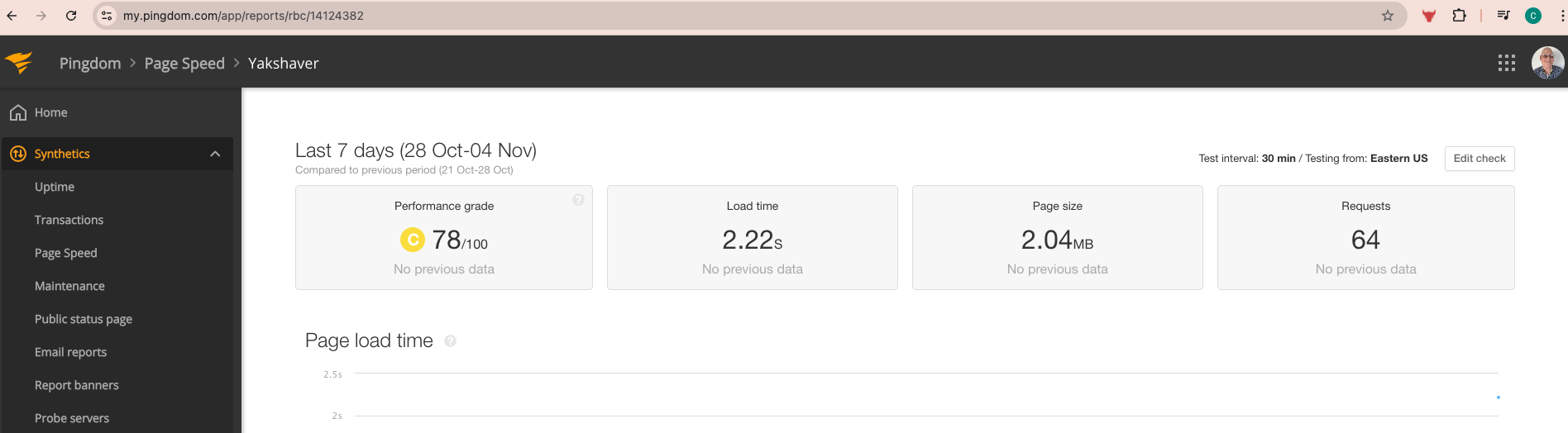
Figure: Pingdom has advanced tools for diagnosing page performance issue
Here are other performance tools worth considering:
Frontend Performance
- Page Speed Insights - Google's web performance analyzer
- React Developer Tools - Component-specific profiling for React apps
- Pingdom - Offers uptime monitoring, page performance analysis & drilling for advanced performance troubleshooting
API Performance
- Insomnia - REST client with performance timing
- BenchmarkDotNet - .NET microbenchmarking framework
- Fiddler - HTTP debugging proxy with performance metrics
- Visual Studio Performance Profiler - Integrated .NET profiling
- Bombardier - HTTP load testing tool
Telemetry & monitoring
- Azure App Insights - Microsoft's application performance monitoring
- OpenTelemetry - Vendor-neutral observability framework
- Sentry.io - Error tracking with performance monitoring
- AWS CloudWatch - Amazon's monitoring and observability service
Samples
For sample code on how to measure performance, please refer to Do you have tests for Performance? on Rules To Better Unit Tests.