Do you create Microsoft Forms via Microsoft Teams so others can see the results?
Loading last updated info...
Microsoft Forms is a great way to send out a quick survey to a group of people to get feedback, come to a consensus, or organize team events.
It’s very easy to log in and send one out from your own Office 365 account, but then only you can see the results. A better way is instead to create it from a Group (note every Microsoft Team has a Group).
- To do this, follow these steps:
- Go to Microsoft Teams
- Navigate to the team you’d like to be able to see the results of the form
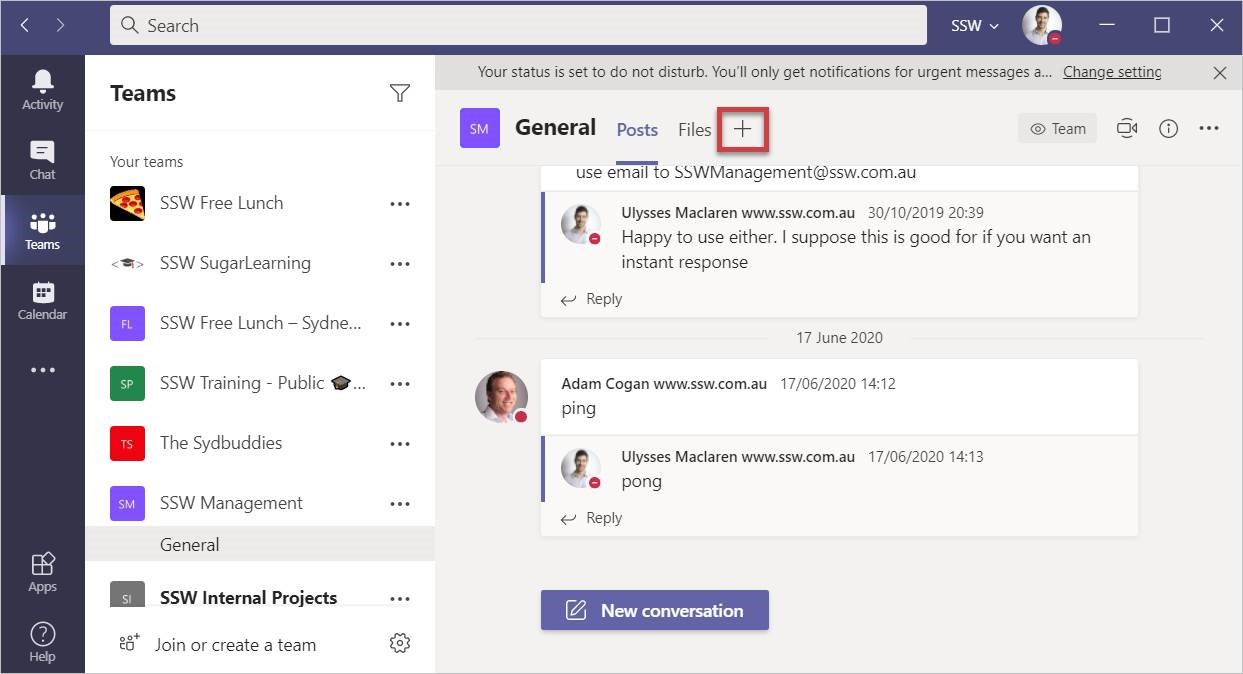
Figure: Click “+” to make a new tab
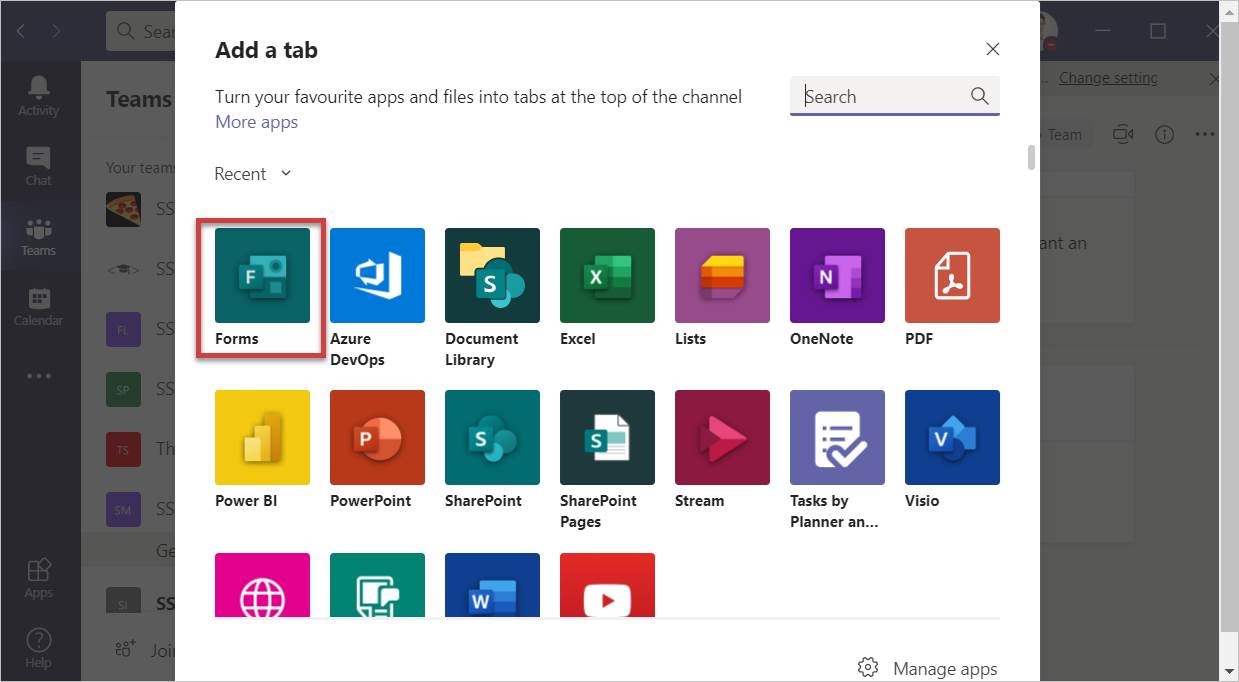
Figure: Select “Forms”
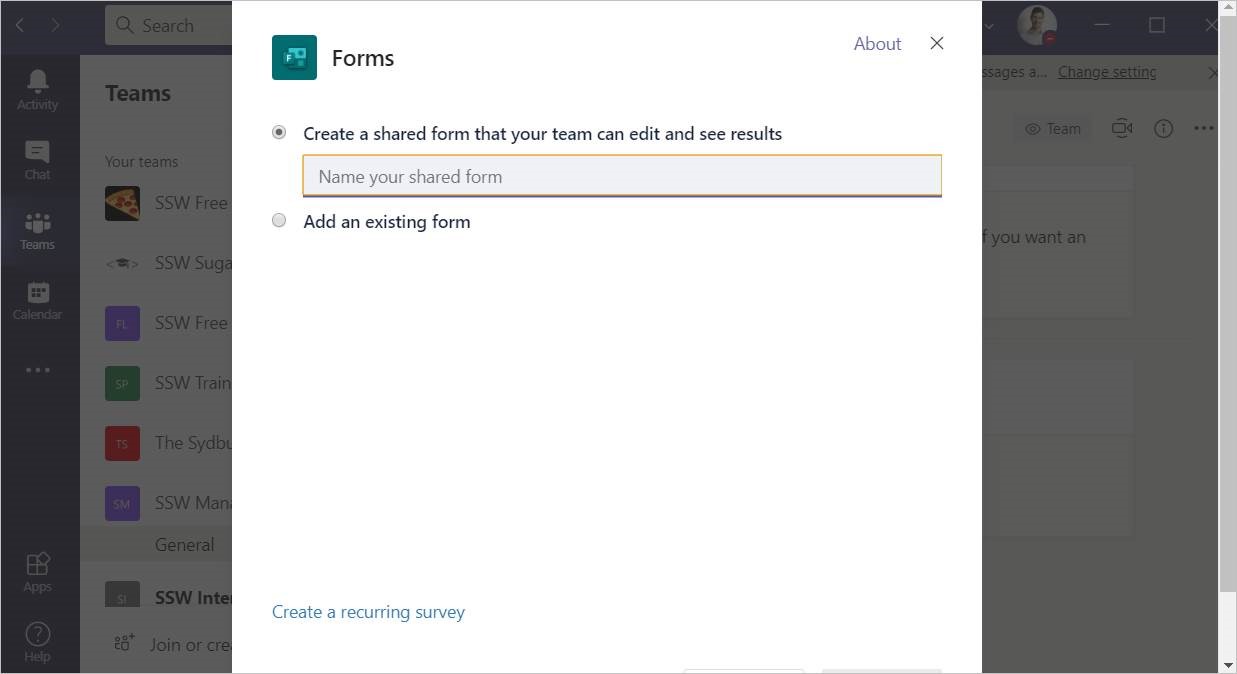
Figure: Name your form, and then continue as usual to create and share it
If you do accidentally create a personal form instead of a group form, you can move it to a group in http://forms.microsoft.com by clicking “All my forms” | … | “Move”
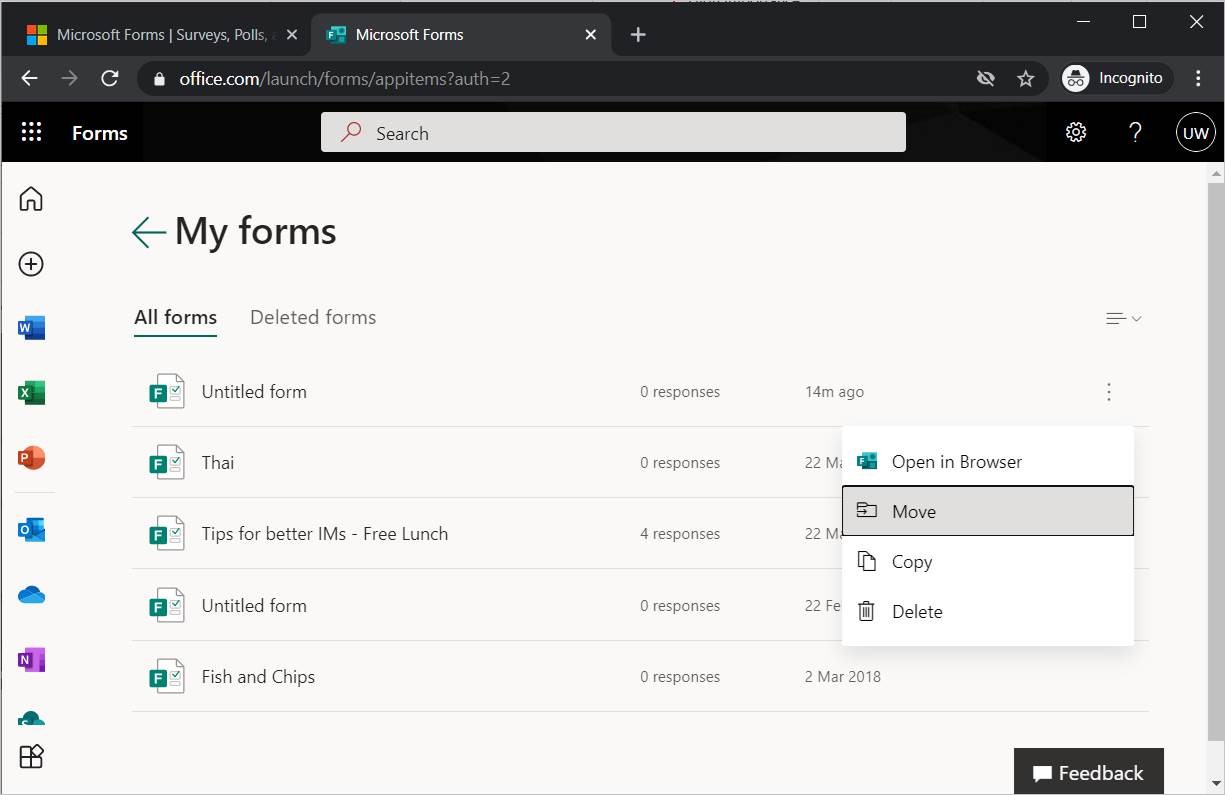
Figure: How to move a Personal form to a Group