Do you know how to create recurring teams meetings for a channel?
Loading last updated info...
Everyone in your organisation should be able to see meetings that are relevant to their team (e.g. Daily Scrums). Recurring meetings must be setup correctly so that they are associated with a team channel. This process lets others in your organisation see the meetings associated with that channel.
- Navigate to Microsoft Teams | Calendar | New Meeting

Figure: Navigate to Microsoft Teams | Calendar | New Meeting
- Enter the details of the meeting, make sure to add a channel to associate with it!
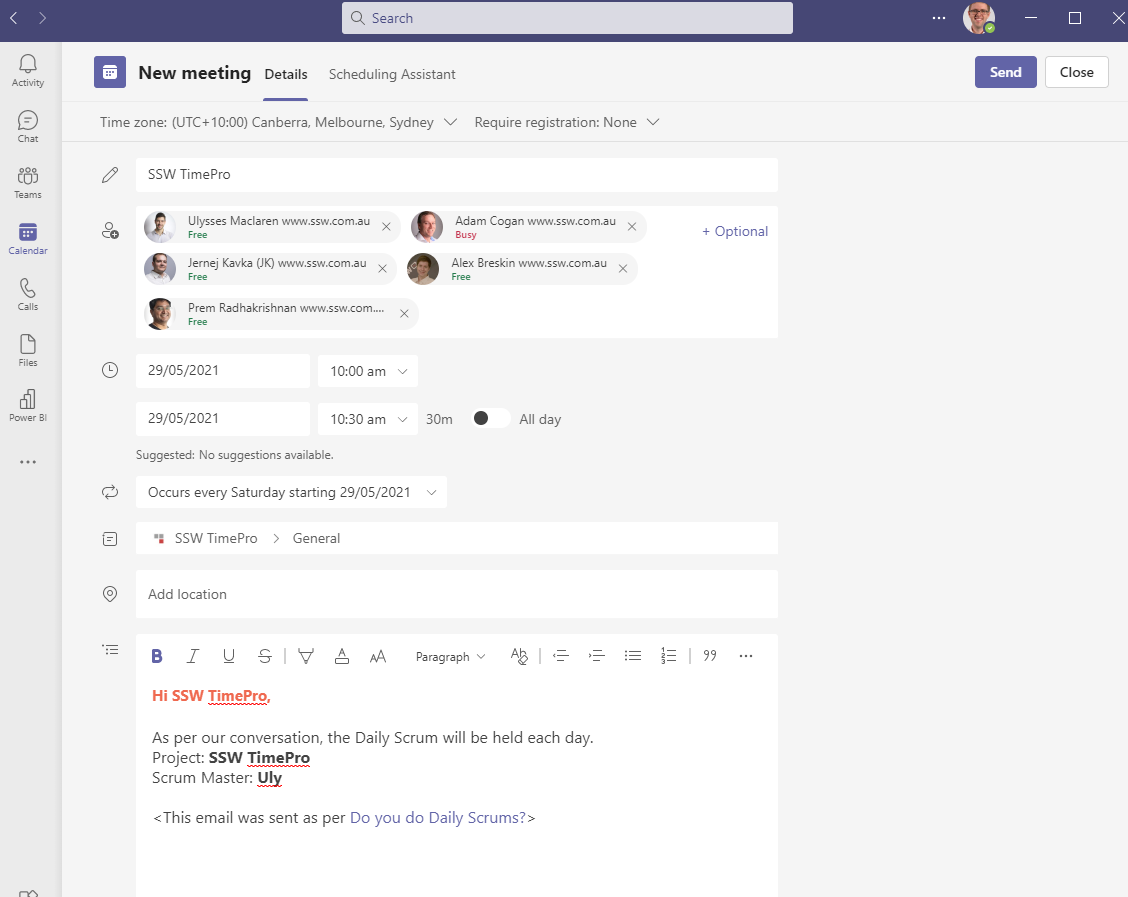
Figure: Enter the details of the meeting, make sure to add a channel to associate with it!
- Hit save and you are done, your meeting is all setup.
Members of the Team can edit the meeting (time, date, attendees, etc.) in Outlook - which is really useful, since the meeting does not get "orphaned" if the organizer leaves the company.
Go to Outlook | Calendar | All Group Calendars | {{ group }} and open the meeting from there.