Enhance your PC management with these essential rules designed to streamline performance and troubleshoot effectively. These guidelines cover everything from benchmarking and upgrades to file synchronization, ensuring your systems operate at their best.
It is important to benchmark your PC so that when making a major change to your PC you can be assured that it has been an improvement.
Managing multiple computers can be a challenging task, especially when it comes to keeping track of them. It can be a real pain to constantly monitor and manage numerous devices, each with its configurations and updates. Electronic gadgets should have an expiry date because their performance fades as we use them.
For example, in the IT industry, laptops are the tools of the trade. Employers spend thousands of $ on laptops with good specs. However, these laptops deteriorate over time leading to poor performance. Some employees notice and complain, some do not notice that their laptop is no longer performing well. If you don't have a computer rotation policy, then you only renew laptops for the squeaky wheels (the people who complain).
There are a few things that should be done with laptops in a company's fleet.
- Rotation - Keep the fleet up-to-date
- Waste management - Recycle old laptops
Rotation - Keep the fleet up-to-date
The laptops in your fleet should be fit for purpose and performant. In the old days, people used to Benchmark their laptops and it's still useful for personal machines, however, it is not the best method for enterprise asset management.
Enterprises should buy laptops with standardized specs, in batches, at regular intervals e.g. every 6 months. Then the laptops should be rotated for employees on a regular cadence e.g. every 5 years.
Figuring out what cadence to replace laptops
Typically, a well-maintained laptop can last anywhere from 3 to 5 years before performance starts to noticeably degrade or hardware components become outdated. While a laptop might survive longer than its lifespan, its utility will be limited as the components become less capable of running advanced applications. However, many factors influence this lifespan, such as the quality of specifications and usage patterns. If buying high-spec laptops, a good rule of thumb is every 5 years.
Tracking assets
To keep track of a laptop's lifespan, use an asset management tool e.g. Snipe-IT and use the audit option. That option allows a review date to be set after a period of time (5 years is recommended) so that the SysAdmin knows to upgrade the laptop.

✅ Figure: Power BI report - Snipe showing the oldest laptops that needs to be recycled
Waste management - Recycle old laptops
Once you have determined a laptop is no longer an asset to keep, then there are two options:
- Sell it (Recommended)
- Recycle - Dispose of e-waste
Sell it (Recommended)
You want to keep your fleet modern, but that doesn't mean the assets you are getting rid of are worthless. So, to get back a few $ sell the old assets online.
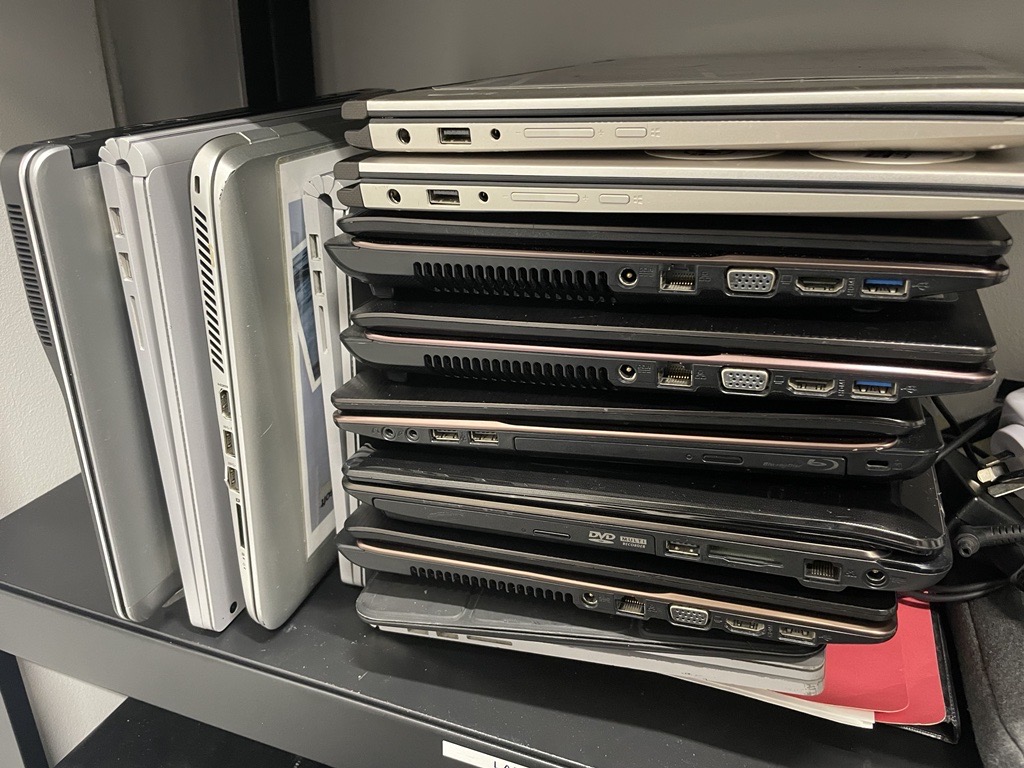
❌ Figure: Bad example - Old laptops piled up in the server room
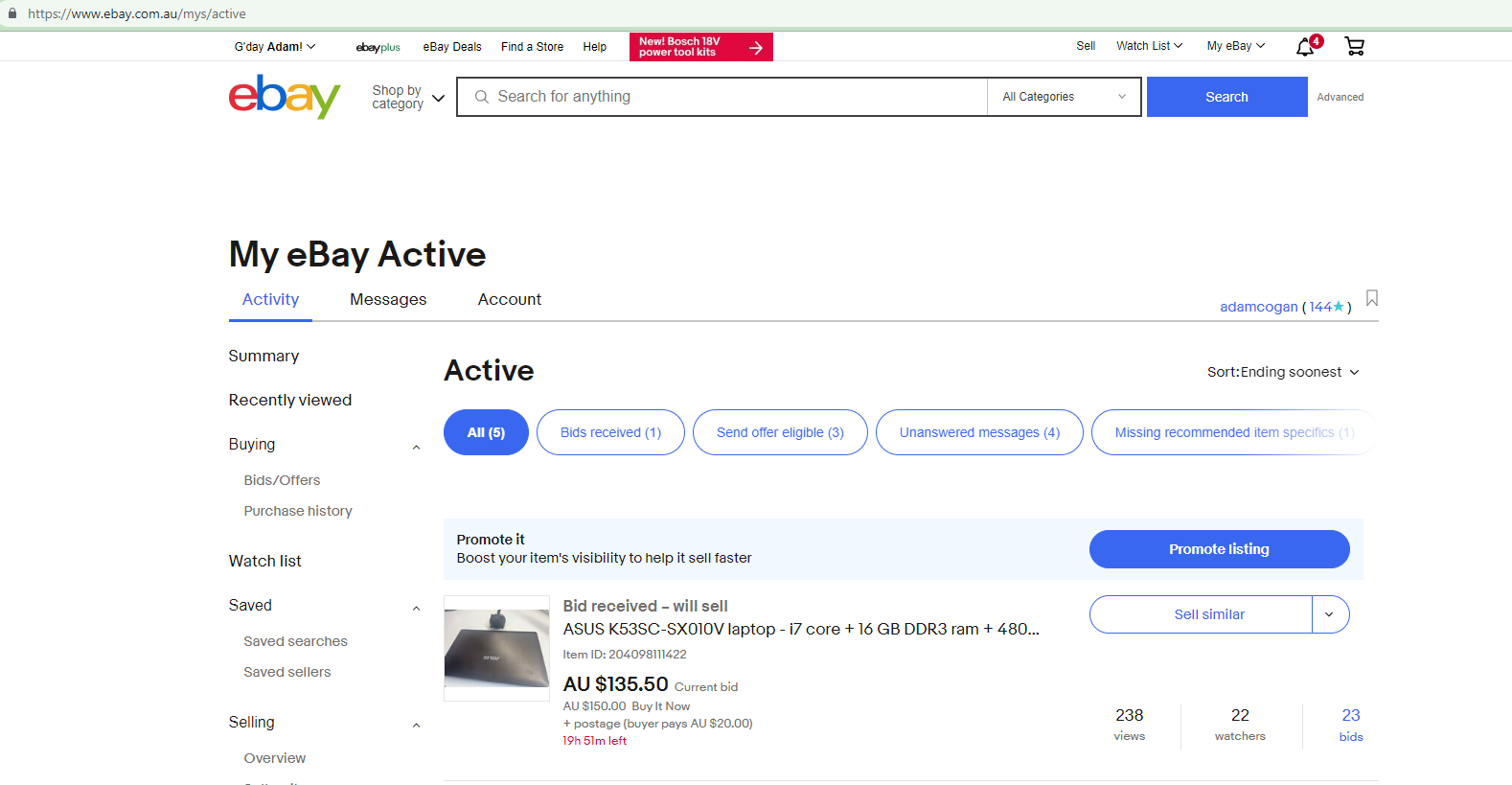
✅ Figure: Good example - Posted laptop on Ebay to sell
Recycle - Dispose of e-waste
When electronic devices stop working and can't be sold for significant $ then they need to be recycled (not chucked). Most countries now have an e-waste policies. eg. Australian states require old electronic devices (e-waste) to be recycled, so follow the policy of the country and state your company operates in e.g. NSW Government e-waste policy e.g. VIC Government e-waster policy - makes it illegal
How do you dispose of e-waste
- Check your item is accepted for electronic recycling via your government policy e.g. NSW e-waste policy
- Backup and delete any data from laptops, tablets, printers, and servers before you recycle them
- Hard drives - Securely format them (preferred) or drill them to avoid data theft
- Update the e-waste devices to archive them on the asset management tool
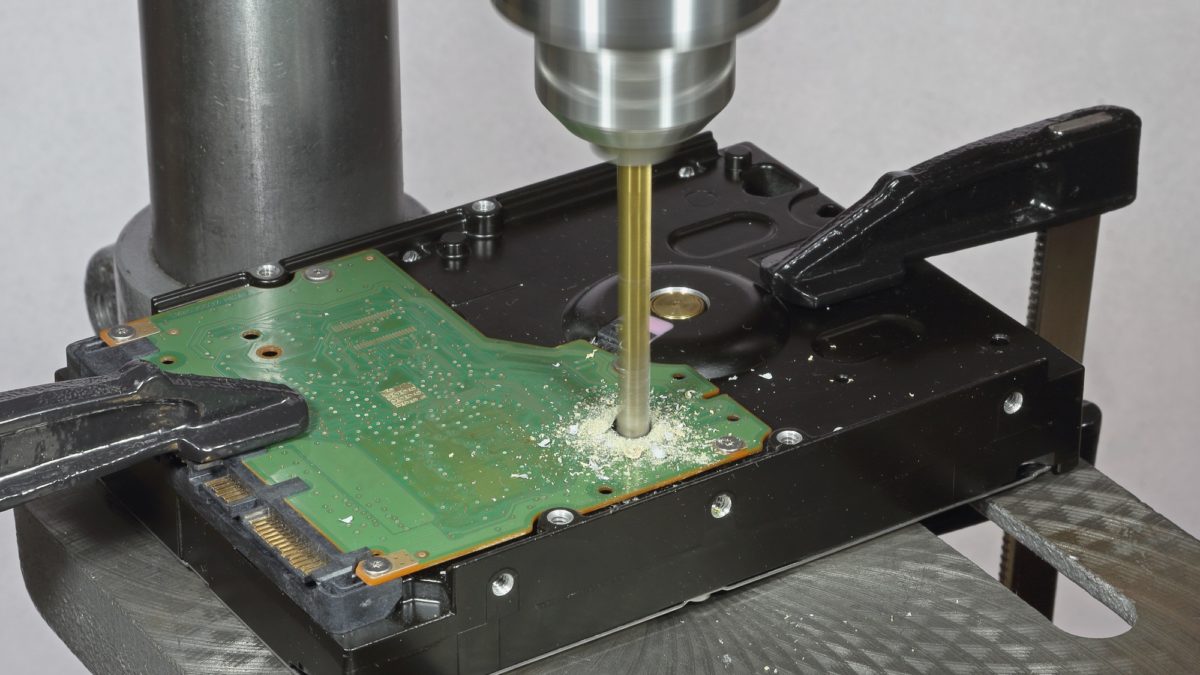
✅ Figure: Good example - Drill HDD before disposing of it
Your developers should be using the latest version of Windows for security, speed, and the latest features.
The next step is to get the Standard Operating Environment (SOE) installed. You have a few choices:
A package manager is a collection of software tools that automate the process of installing, upgrading, configuring, and uninstalling computer programs in a consistent manner.
When your laptop/desktop PC malfunctions, it could be something to do with Windows updates or driver upgrades, or maybe a firmware update. Before reporting it to SysAdmins, you should follow the following steps:
It is important to make sure all standards are followed before formatting a laptop that is managed by your company.
SysAdmins follow all kinds of procedures and standards to make sure all company-owned laptops and devices are configured correctly, with the right permissions, users and applications.
Refer to the quickest way to get your Windows 10 SOE up and running to get the best way of setting up your computer with the right applications.
Having a local admin account that is not the built-in admin account Windows creates at first is an important way to get access back to your system if any troubles arise.
Keeping all your files and work backed up is important, but can be a very complex task to do manually, especially if multiple people are working on the project simultaneously.
It is important to make sure all standards are followed before formatting a laptop that is managed by your company.
SysAdmins follow all kinds of procedures and standards to make sure all company-owned laptops and devices are configured correctly, with the right permissions, users and applications.
Refer to the quickest way to get your Windows 10 SOE up and running to get the best way of setting up your computer with the right applications.
per page
1 - 9 of 9 itemsper page
1 - 9 of 9 items