Do you know when to use "Meet Now" in Teams?
Loading last updated info...
Using the "Meet Now" button in Microsoft Teams can be an efficient way to start a quick meeting with your team. However, it's important to know when to use it to avoid disrupting your colleagues. Triggering an unplanned call can catch people off guard and disrupt their workflow, leading to frustration and decreased productivity.
With YakShaver, you can start recording a "shave" after selecting "Meet Now," without needing to call anyone in.
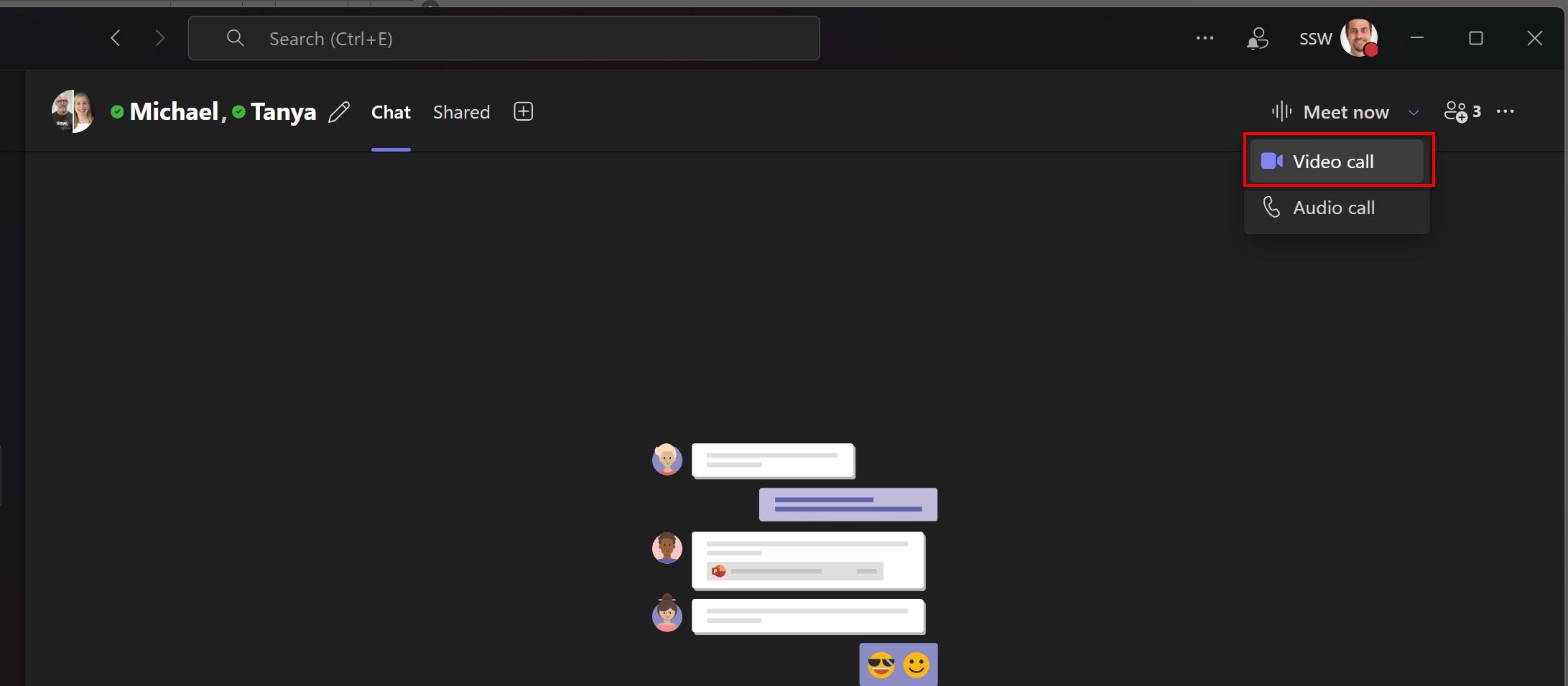
❌ Figure: Bad example - Triggering a group call without warning or context can be jarring and disrespectful to others' schedules and interupts everyone
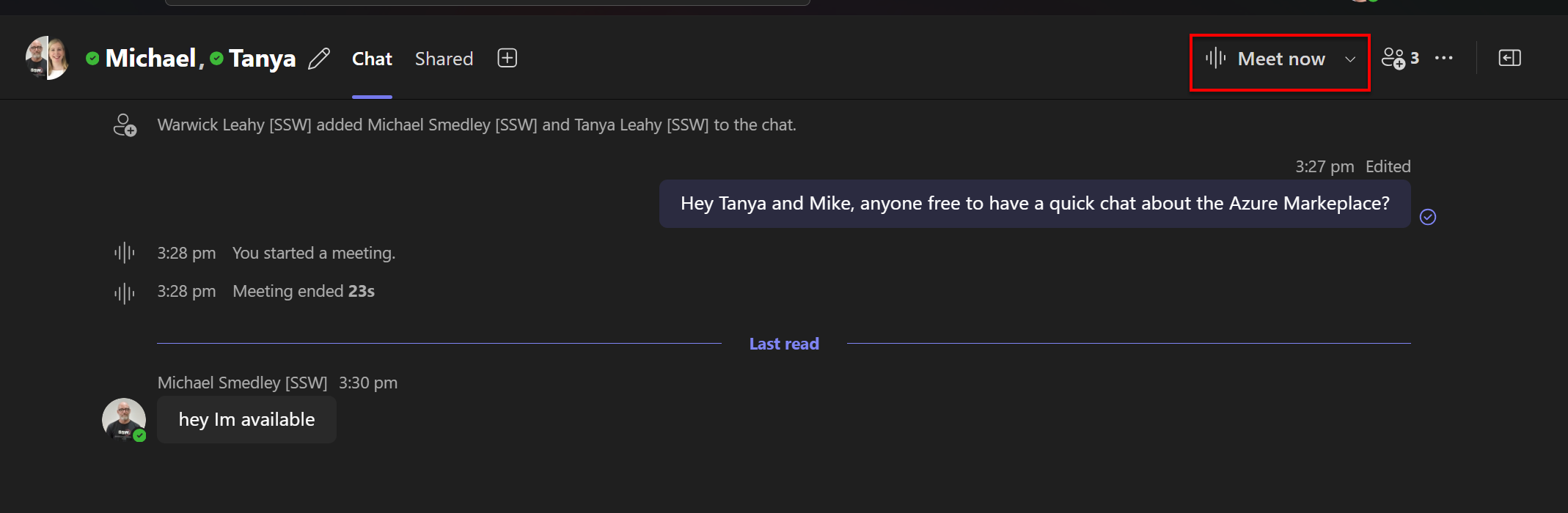
✅ Figure: Good example - The user sends the group a message and then presses the "Meet Now" button which doesn't interupt the entire group
When to use "Meet Now"
- Quick collaboration - You need an immediate response or decision from a few people who are available
- Unplanned discussions - A short, impromptu discussion that cannot be resolved via chat
- Co-working sessions - When working together on a document or project and all team members are ready to engage
Best practices for using "Meet Now"
- Send a heads-up message - Use a chat message to confirm if a quick call is appropriate
- Set expectations - Clarify the purpose and duration of the call in advance
- Use scheduling for larger groups - For large groups or in-depth discussions, use the "Schedule a Meeting" feature instead
By following these guidelines, you can make better use of the "Meet Now" button, ensuring your meetings are productive and respectful of everyone's time.