Do you check the workstations are using the GPU?
Loading last updated info...
Having poor performance on video chat?
In Windows 10/11 you need to set your video chat app (i.e. Teams) to use the GPU.
- Open Settings | System | Display
- Scroll down a bit and click Graphics settings
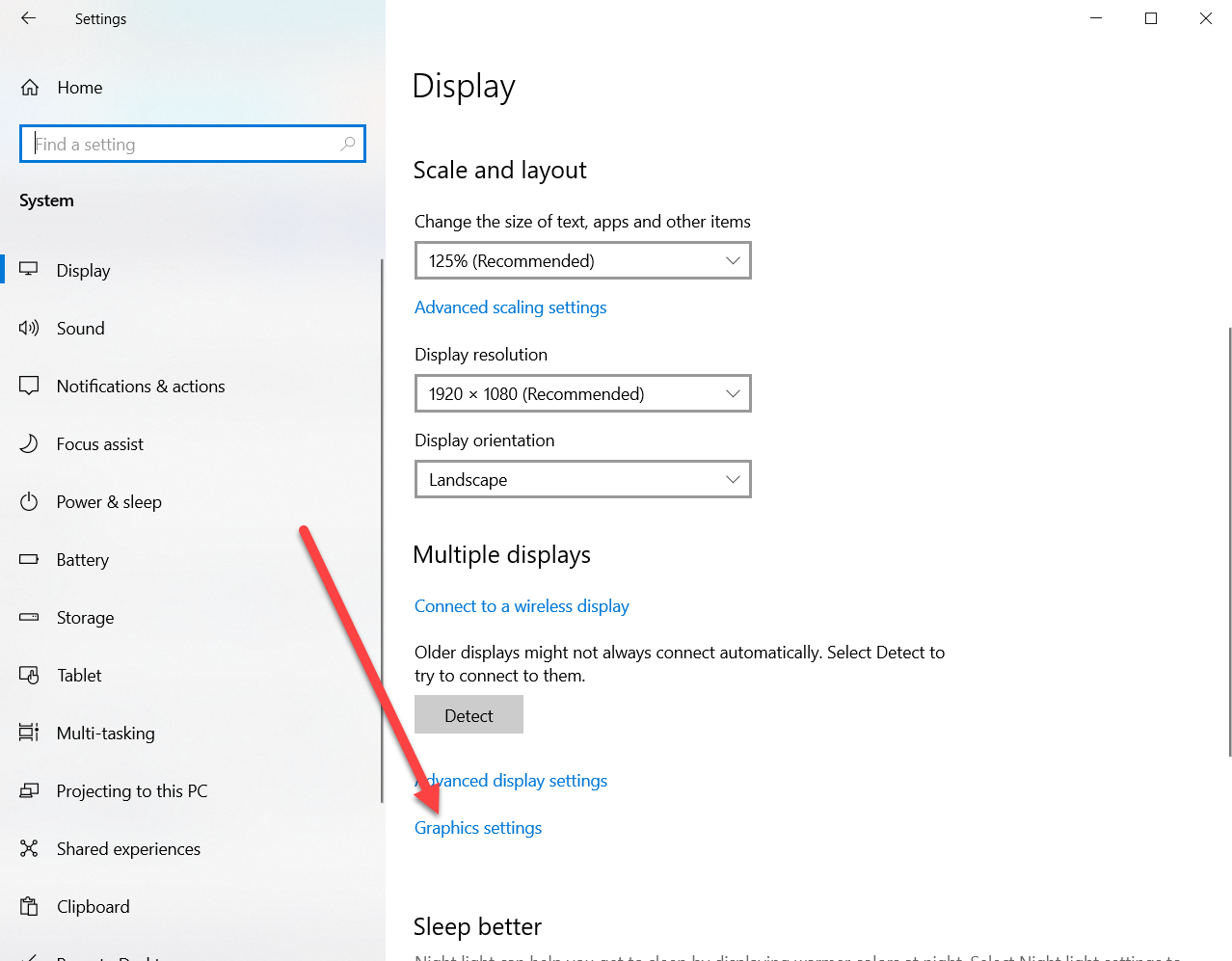
Figure: Choose Graphics settings
- Either choose Microsoft Store apps and choose the relevant app or choose Desktop apps and browse for the executable
Note: Microsoft Teams is a desktop app under your local user profile i.e. C:\Users%username%\AppData\Local\Microsoft\Teams\current\teams.exe
- Select options and choose High Performance GPU
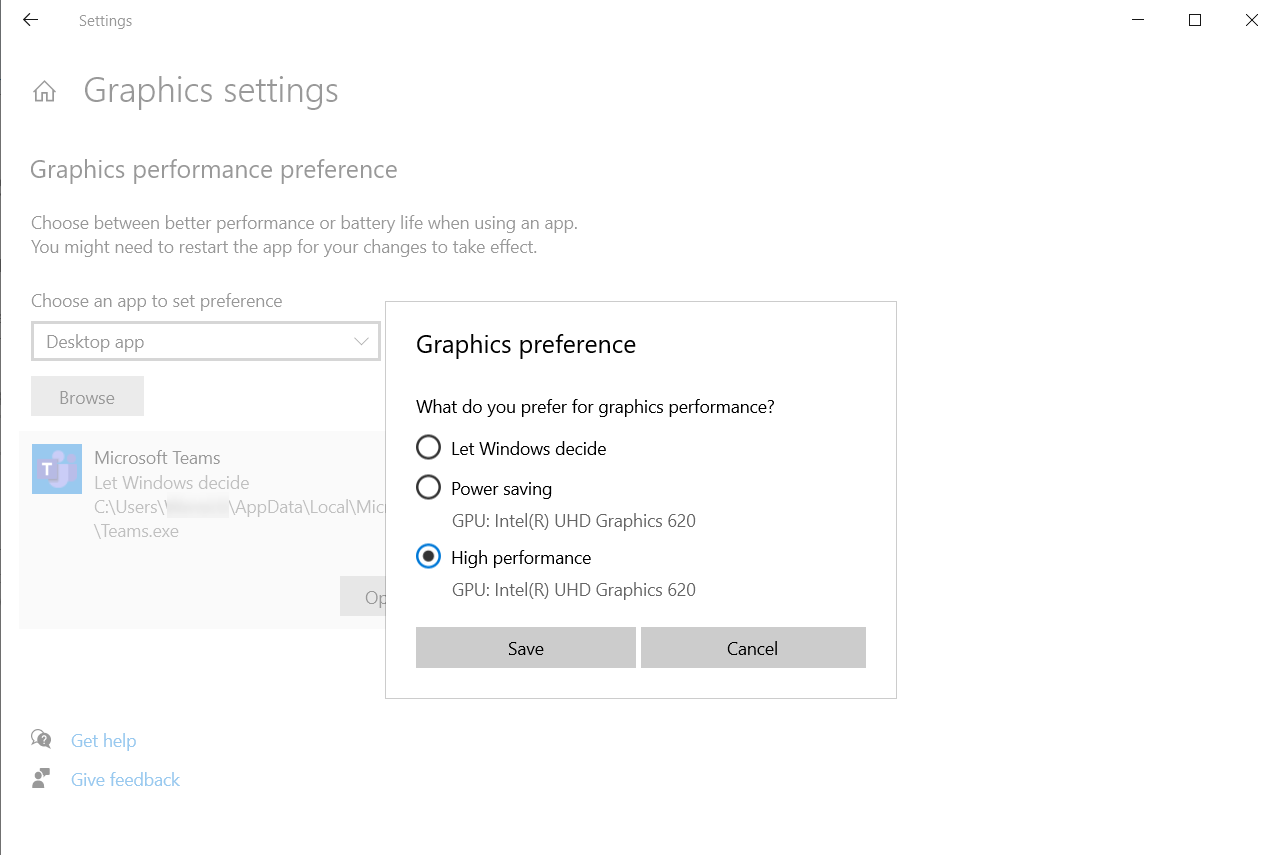
Figure: Choose High Performance GPU